
To get Spectrum to run cable to your house, you need to contact Spectrum and schedule an installation appointment.
Step 1: Check Spectrum’S Availability In Your Area
To get Spectrum to run cable to your house, start by checking if Spectrum’s services are available in your area. This will help you determine if you can get Spectrum’s cable, internet, and phone services installed in your home.
Research Spectrum’S Coverage In Your Location
Spectrum is one of the largest cable and internet providers in the United States, with coverage in many areas across the country. Before you can get Spectrum to run cable to your house, you need to check if they provide service in your location.
Here are a few steps you can take to research Spectrum’s availability in your area:
- Visit Spectrum’s website: The easiest way to check if Spectrum is available in your area is to visit their website. They have a coverage map tool where you can enter your address and it will show you if they offer service in your location.
- Call Spectrum’s customer service: If you prefer to speak to a representative, you can call Spectrum’s customer service line and inquire about their service availability in your area. They will be able to provide you with the information you need and answer any questions you may have.
- Ask neighbors or friends: Another way to find out if Spectrum is available in your area is to ask your neighbors or friends who live nearby. They may already have Spectrum service and can tell you if it is available in your location.
- Check online forums and community groups: Online forums and community groups are also a great resource to find out if Spectrum is available in your area. People often share their experiences with different service providers, so you may be able to find information about Spectrum’s coverage in your location.
Once you have confirmed that Spectrum is available in your area, you can proceed with the next steps to get Spectrum to run cable to your house.
Credit: www.allconnect.com
Step 2: Reach Out To Spectrum Customer Service
To get Spectrum to run cable to your house, you can easily reach out to their customer service. They will guide you on how to install a coax cable from your wall to your TV or Spectrum Receiver, as well as your modem, allowing you to enjoy their Home Phone, Internet, and TV services.
Contact Spectrum Customer Service Via Phone Or Online Chat:
- Contact Spectrum customer service via phone or online chat to inquire about getting Spectrum cable service installed at your house.
- The customer service agents at Spectrum are knowledgeable and can provide you with all the information you need to get cable service at your location.
- Here are a few steps to follow when contacting Spectrum customer service:
- Call the Spectrum customer service phone number or initiate an online chat through their website.
- Inform the representative that you are interested in getting cable service installed at your house.
- Provide your address and any other necessary information.
- Ask about the availability and pricing of cable service in your area.
- Inquire about the installation process and any requirements you need to fulfill.
- Take note of any special deals or promotions that may be available to you.
- Ask any additional questions or concerns you may have regarding the service.
- Once you have reached out to Spectrum customer service, they will guide you through the process of getting cable service to your house.
- The customer service agents are there to assist you and ensure that you have a smooth experience with Spectrum’s cable installation process.
Remember, contacting Spectrum customer service is an essential step in getting cable service installed at your house. They can provide you with all the necessary information and guide you through the process. So don’t hesitate to reach out and start the process of getting Spectrum cable service at your location.
Step 3: Schedule An Appointment With A Spectrum Technician
To get Spectrum to run cable to your house, step 3 is to schedule an appointment with a Spectrum technician. Simply contact Spectrum and they will send a technician to your location to install the necessary cables for your home phone, internet, and TV service.
Setting up a convenient date and time for a Spectrum technician to visit your house is the next step in getting Spectrum to run cable to your house. Here are the key points to keep in mind:
- Contact Spectrum: Call Spectrum’s customer service or visit their website to schedule an appointment with a technician.
- Availability: Discuss your preferred date and time for the technician to visit your house. Spectrum usually offers flexible scheduling options to accommodate your needs.
- Specific requirements: If you have any specific requirements or concerns regarding the cable installation, this is the opportunity to discuss them with the technician.
- Equipment placement: Mention where you would like the cable equipment, such as the modem or cable box, to be installed in your house.
- Duration: Inquire about the estimated duration of the technician’s visit so you can plan accordingly.
By scheduling an appointment with a Spectrum technician, you can ensure a smooth and timely cable installation process.
Step 4: Prepare Your House For Cable Installation
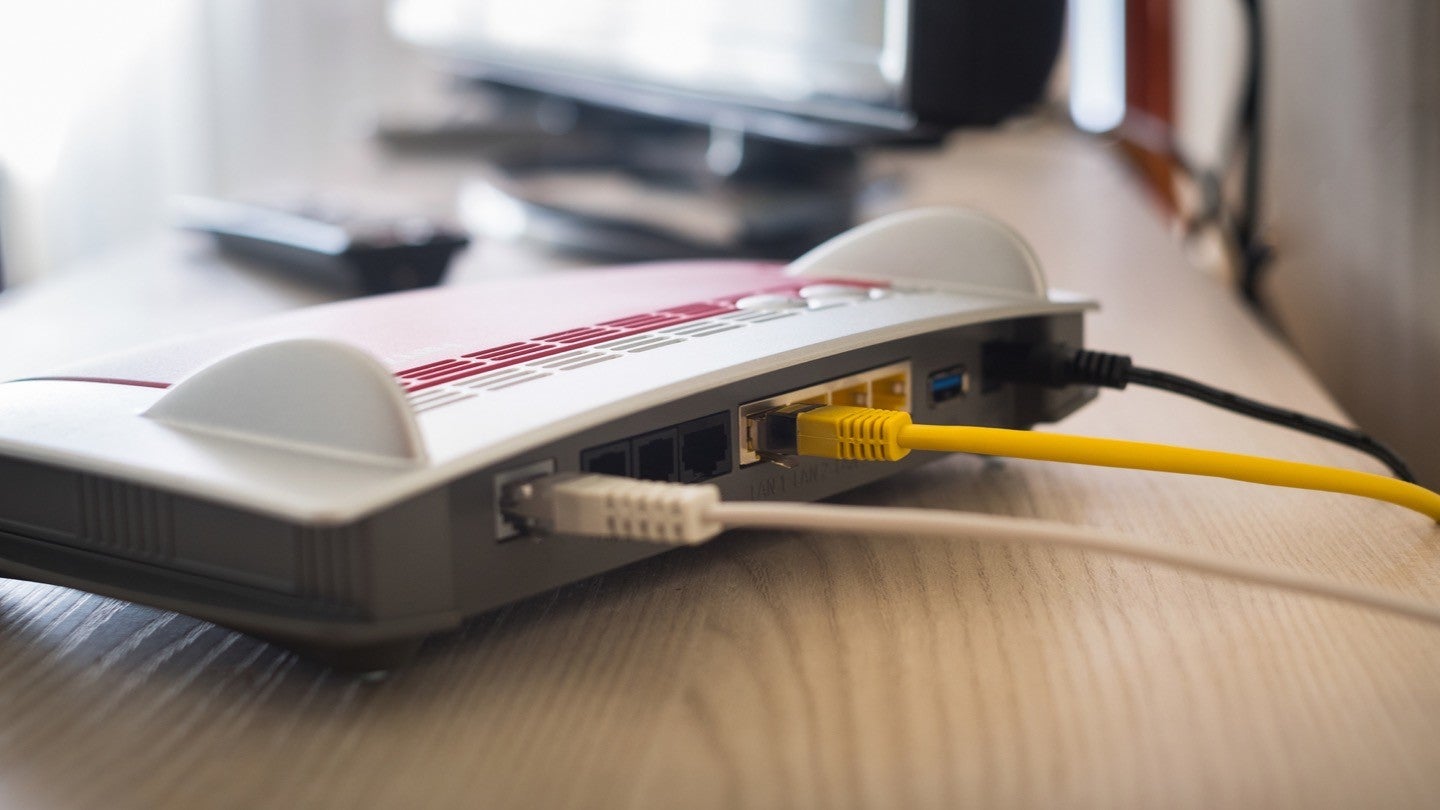
Prepare your house for cable installation by following these steps. First, find a working coax outlet in your home. Then, connect the coax cable to the wall outlet and the back of the modem. Finally, connect the power cable to the back of the modem and a nearby power outlet.
With these preparations, you’ll be ready for Spectrum to run cable to your house.
Before the Spectrum technician arrives to install cable in your house, it’s important to ensure that your house is ready for the installation. Proper preparation can help make the process smoother and faster. Here are a few steps you can take to prepare your house for cable installation:
- Ensure proper access to exterior walls and potential cable entry points: Check the exterior walls of your house to identify the potential entry points for the cable. Make sure that these areas are easily accessible and free from any obstructions such as bushes or decorations. This will enable the technician to efficiently install the cable without any hindrance.
- Clear pathways and remove obstacles for the technician: Walk through the areas where the cable installation will take place and remove any obstacles that may obstruct the technician’s way. This includes clearing furniture, rugs, and any other items that may impede the installation process. Ensuring clear pathways will allow the technician to work effectively and minimize the risk of accidents or delays.
- Provide easy access to electrical outlets: The technician may need access to electrical outlets during the installation process. Make sure that all the required outlets are easily accessible and not blocked by furniture or other objects. This will save time and effort by eliminating the need to move objects around during the installation.
- Prepare the necessary tools and equipment: Gather any tools or equipment that may be required for the installation, such as ladders or screwdrivers. Having these items ready beforehand will help expedite the process and avoid any unnecessary delays.
- Secure any loose cables or wires: Take a quick look around your house to identify any loose cables or wires that may be present. Secure these cables or wires to prevent any accidents during the installation process. This will provide a safe working environment for the technician and ensure a smooth installation.
Remember, proper preparation can make a significant difference in the cable installation process. By following these steps, you can help the Spectrum technician complete the installation efficiently and successfully.
Step 5: Technician Visit And Cable Installation
To get Spectrum to run cable to your house in Austin, Texas, technicians will visit and install the necessary coaxial cables for your home phone, internet, and TV service. This service allows for better connectivity and the option to connect your Spectrum receiver directly to your TV.
The cost of cable installation can vary, so it’s recommended to check with Spectrum for pricing details.
Welcome The Spectrum Technician To Your House:
- Greet the Spectrum technician with a warm welcome and guide them to the designated area where the cable will be installed.
- Ensure that you provide them with clear directions to access your home and guide them to the desired cable entry points.
Accompany The Technician To Desired Cable Entry Points:
- Take the technician to the locations where you want the cables to enter your house, such as living room or bedroom.
- Point out any specific requirements or challenges that may affect the cable installation process, such as tight spaces or existing wiring.
Allow The Technician To Install The Necessary Cables And Equipment:
- Once the technician has identified the cable entry points, give them space to perform the installation without interruptions.
- Trust the expertise of the technician as they install the cables and any additional equipment required for your Spectrum services.
Remember, your cooperation and clear communication with the Spectrum technician will ensure a smooth and efficient installation process.
Step 6: Test And Activate Spectrum Services
To ensure successful installation of Spectrum services, follow Step 6: Test and Activate Spectrum Services. This step involves connecting the coax cable from your wall to your TV or Spectrum Receiver, as well as your modem. Make sure to test the connectivity before activating the services.
Once the Spectrum technician has installed the cable to your house, it’s time to test and activate your Spectrum services. This step ensures that your TV, internet, and phone are all up and running smoothly. Here’s what you need to do:
- Verify connectivity and signal strength with the technician: Before activating your services, it’s important to check the connectivity and signal strength. The technician will assist you in testing if the cable is properly connected and if the signal is strong. This will ensure that you get the best performance from your Spectrum services.
- Activate your Spectrum services: After verifying the connectivity, it’s time to activate your Spectrum services. This process involves activating your TV, internet, and phone. Here’s how to do it:
- Activate your Spectrum TV: Follow the instructions provided by the technician to activate your Spectrum TV. This may involve entering a code or calling a toll-free number to complete the activation process.
- Activate your Spectrum internet: Connect your computer or device to the modem provided by Spectrum. Open a web browser and follow the on-screen instructions to activate your internet service. You may need to provide your account information and set up a user ID and password.
- Activate your Spectrum phone: If you have opted for Spectrum phone service, connect your phone to the modem using a phone cable. Follow the instructions provided by the technician to activate your phone service. This may require entering a code or calling a toll-free number.
By following these steps, you will successfully test and activate your Spectrum services. Enjoy your new TV, internet, and phone connection!
Remember, if you face any difficulties during the activation process, don’t hesitate to contact Spectrum customer support for assistance. They will be more than happy to help you get your services up and running smoothly.
Step 7: Troubleshooting And Support
Step 7: Troubleshooting and Support in getting Spectrum to run cable to your house is crucial for a seamless installation process. Spectrum provides expert assistance to troubleshoot any issues and offer support throughout the cable installation journey.
Familiarize Yourself With Spectrum’S Customer Support Channels:
- Spectrum provides various customer support channels to assist you with any issues or concerns after the installation of cable services to your house.
- You can reach out to Spectrum through the following channels:
- Phone support: Contacting Spectrum’s customer support over the phone is a convenient option. You can find the phone number on Spectrum’s website or your billing statement.
- Online chat support: Spectrum offers live chat support on their website. This provides you with instant assistance and allows you to discuss any troubleshooting or support issues in real-time.
- Email support: If you prefer written communication, you can send an email to Spectrum’s customer support team. They will respond to your queries and provide guidance accordingly.
- Spectrum Community Forum: The Spectrum Community Forum is an online platform where customers can interact with each other and with Spectrum representatives. You can post your questions or concerns on the forum and receive assistance from the community or Spectrum staff.
- Social media support: Spectrum is active on social media platforms such as Facebook and Twitter. You can reach out to them through direct messages or by posting on their official pages.
- Spectrum My Spectrum App: Spectrum’s My Spectrum App is a user-friendly mobile application that provides a platform to manage your Spectrum services and connect with customer support. You can access troubleshooting guides, submit service requests, or chat with a representative directly through the app.
Remember, Spectrum offers multiple customer support channels to cater to your needs and assist you with troubleshooting or any support-related queries after the cable installation.
Reach Out To Spectrum For Any Issues Or Concerns
- In case you face any issues or have concerns after the cable installation, it is essential to reach out to Spectrum for assistance. They are dedicated to providing support and ensuring customer satisfaction.
Here are a few reasons why you might need to contact Spectrum after the installation:
- Technical difficulties: If you encounter any technical issues with your cable service, such as poor signal quality, loss of channels, or internet connectivity problems, contacting Spectrum will help diagnose and resolve the problem.
- Billing inquiries: If you have questions or concerns about your billing statement, or if you notice any discrepancies, Spectrum’s customer support can assist you. They can explain charges, update payment information, or address any billing-related concerns.
- Service upgrades or downgrades: If you wish to upgrade or downgrade your cable package or make changes to your service plan, Spectrum’s customer support can guide you through the process and ensure a smooth transition.
- Assistance with additional features: If you need help with additional features or services offered by Spectrum, such as DVR setup, parental controls, or accessing on-demand content, their customer support can provide guidance and troubleshooting steps.
- Equipment issues: If you experience any issues with the cable box, modem, or any other equipment provided by Spectrum, contacting their support team will help you troubleshoot the problem or request a replacement if necessary.
Remember, Spectrum’s customer support is available to assist you with any issues or concerns you may have after the cable installation. Don’t hesitate to reach out to them for prompt and reliable support.
Frequently Asked Questions For How To Get Spectrum To Run Cable To Your House
Will Spectrum Run Coax Cable?
Yes, Spectrum will run coax cable to connect your equipment for your Spectrum Home Phone, Internet, and TV service.
How Much Does It Cost To Install A Cable Outlet Spectrum?
The cost to install a cable outlet with Spectrum varies, please contact Spectrum for accurate pricing information.
How Does Spectrum Connect To Your House?
Spectrum connects to your house by running a coax cable from the wall outlet to your TV or modem.
Does Spectrum Run Cable Underground?
Yes, Spectrum does run cable underground.
Conclusion
To get Spectrum to run cable to your house, follow these steps and enjoy the convenience of their services. First, contact Spectrum and inquire about their availability in your area. You may need to petition your neighbors and work together to convince Spectrum to run a cable line.
Once you have confirmed their availability, schedule an appointment to have a technician come out and install the necessary equipment. Make sure you have a working coax outlet in your home for the installation. During the installation, the technician will connect the coax cable to your wall outlet and the back of the modem.
Finally, connect the power cable to the modem and a nearby power outlet. With Spectrum’s reliable cable service, you’ll have access to high-quality TV, internet, and home phone services. Enjoy the benefits of Spectrum in the comfort of your own home.