
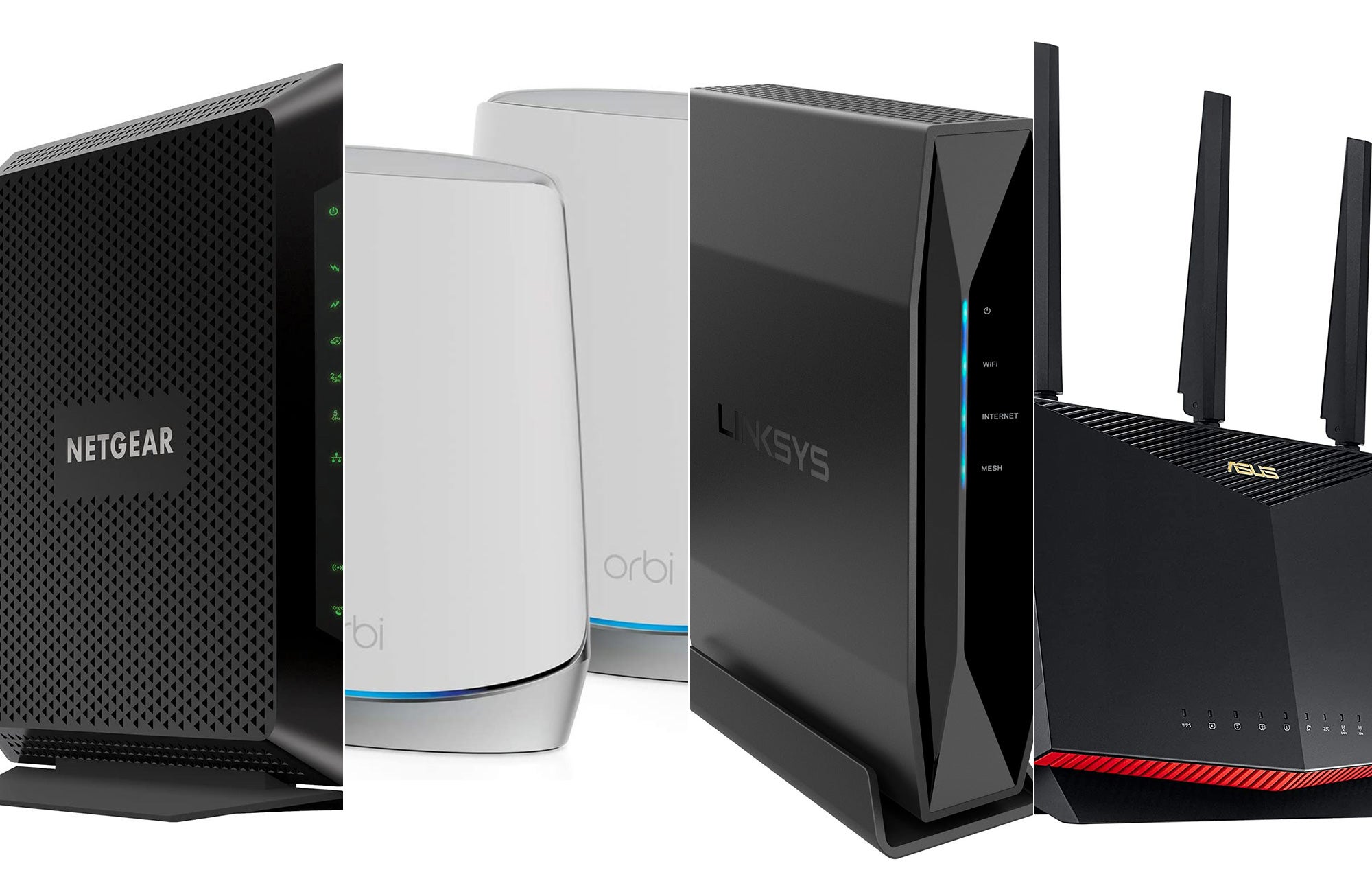
You can use modems from manufacturers like ARRIS, Motorola, and NETGEAR with Spectrum internet. Check Spectrum’s website for an updated list of approved modems.
Introduction To Spectrum Compatible Routers
Introducing Spectrum compatible routers designed to work seamlessly with your Spectrum internet connection. These routers ensure optimal performance and a reliable internet experience for all your connected devices. Say goodbye to connectivity issues with a router that is specifically compatible with Spectrum.
What Is Spectrum?
Spectrum is one of the leading internet service providers in the United States. It offers high-speed internet connections to residential and business customers. With Spectrum, you can enjoy fast and reliable internet access for streaming, gaming, browsing, and more.
Importance Of A Compatible Router For Spectrum Internet
Having a compatible router is crucial for optimizing your Spectrum internet connection. Here’s why:
- Seamless compatibility: A router that is specifically designed for Spectrum ensures seamless compatibility with your internet service. This means you can experience a smoother and more stable internet connection without any compatibility issues.
- Improved performance: A compatible router can enhance the performance of your Spectrum internet. It allows you to maximize the internet speed provided by Spectrum, resulting in faster downloads, smoother streaming, and seamless online gaming.
- Better coverage: Spectrum-compatible routers often come with advanced features like beamforming and multiple antennas, which help enhance the Wi-Fi coverage in your home or office. This means you can enjoy a strong and reliable Wi-Fi signal in every corner of your space.
- Enhanced security: Spectrum-compatible routers are designed to work seamlessly with Spectrum’s security protocols, ensuring a secure internet connection. This helps protect your personal information and prevents unauthorized access to your network.
Benefits Of Using A Router Compatible With Spectrum
Using a router that is compatible with Spectrum offers various benefits, including:
- Easy setup: Spectrum-compatible routers are typically easy to set up and configure. They usually come with user-friendly interfaces and step-by-step instructions, making the installation process hassle-free.
- Optimized performance: When you use a router specifically designed for Spectrum, you can expect optimized performance. These routers are built to deliver the best possible internet speeds and minimize latency, resulting in a smooth and responsive online experience.
- Convenient features: Spectrum-compatible routers often come with additional features like parental controls, guest networks, and quality of service (QoS) settings. These features allow you to customize and optimize your internet experience according to your needs and preferences.
- Cost-effective: Investing in a Spectrum-compatible router can be a cost-effective choice in the long run. Instead of renting a router from Spectrum, which typically comes with a monthly fee, owning your router can save you money over time.
Overall, using a router that is compatible with Spectrum can significantly enhance your internet experience. It ensures seamless compatibility, improves performance, extends Wi-Fi coverage, and provides enhanced security. Consider upgrading to a Spectrum-compatible router to make the most out of your internet connection.
Credit: www.nytimes.com
Factors To Consider When Choosing A Spectrum Compatible Router
When choosing a Spectrum compatible router, it’s important to consider factors such as range, speed, and security features. Look for routers that offer extended wireless coverage, secure network connections, and fast download speeds to ensure a reliable internet connection.
When it comes to choosing a router compatible with Spectrum, there are several factors you should consider. These include:
Internet Speed And Bandwidth Requirements:
- Spectrum offers different internet plans with varying speeds. Determine the speed and bandwidth requirements of your household to ensure that the router you choose can support those needs.
- Consider the number of devices that will be connected to the router and their bandwidth requirements. This will help you choose a router that can handle multiple devices without compromising internet speed.
Wifi Range And Coverage:
- Evaluate the size of your home or office space and choose a router that can provide adequate coverage.
- Look for routers with powerful antennas or mesh systems that can extend the WiFi range and eliminate dead zones.
- Consider the layout of your space and the potential interference from walls and other electronic devices. This will help you select a router with the appropriate range and coverage capabilities.
Security Features And Protocols:
- Ensure that the router you choose has robust security features to protect your network from unauthorized access and potential cyber threats.
- Look for routers with advanced encryption protocols such as WPA2, which provides a higher level of security.
- Consider routers that offer guest network capabilities, allowing you to create a separate network for visitors without compromising the security of your main network.
Compatibility With Spectrum’S Network Infrastructure:
- Verify that the router you are considering is compatible with Spectrum’s network infrastructure.
- Check the router’s specifications and confirm that it supports the required protocols (e.g., DOCSIS for cable internet) and frequency bands (e.g., 2.4GHz and 5GHz).
- It’s also essential to ensure that the router is supported by Spectrum’s technical support team in case you encounter any issues in the future.
Remember, choosing the right router compatible with Spectrum is crucial for enjoying high-speed internet connectivity, seamless WiFi coverage, and a secure network. Take the time to evaluate these factors to make an informed decision that meets your specific requirements.
Linksys Ac1900 Dual-Band Wireless Router
The Linksys AC1900 Dual-Band Wireless Router is a compatible router with Spectrum, offering fast and reliable internet connectivity for your home. With its dual-band technology, this router ensures smooth and uninterrupted streaming and browsing experiences.
Features And Specifications:
- Dual-band technology: The operates on both 2.4GHz and 5GHz bands, allowing for faster and more reliable connections.
- High-speed internet: With a speed of up to 1900Mbps, this router provides seamless streaming, online gaming, and fast file transfers.
- Beamforming technology: This feature allows the router to focus its Wi-Fi signal directly to connected devices, ensuring better coverage and stronger connection.
- USB 3.0 port: The USB port allows you to connect external storage devices or printers to share files and resources over the network.
- Guest network access: You can create a separate network for guests, ensuring that your main network remains secure.
- Parental controls: You have the ability to set up internet restrictions and block certain websites or content to protect your children online.
- Easy setup: The router comes with a simple setup process through the Linksys app or web interface, making it user-friendly for all levels of users.
Performance And Speed Capabilities:
- Fast and reliable performance: The Linksys AC1900 Dual-Band Wireless Router offers excellent performance for all your online needs, whether it’s streaming, gaming, or browsing.
- Wide coverage: With its beamforming technology, this router provides a broader coverage area, minimizing dead zones and ensuring a strong Wi-Fi signal throughout your home.
- Multiple devices connectivity: This router supports multiple devices and can handle simultaneous connections without any lag or buffering.
- Quality of service (QoS): You can prioritize certain devices or applications to ensure they receive the highest bandwidth for optimal performance.
- Advanced security features: The router includes WPA2 encryption, firewall protection, and VPN support to safeguard your network and personal information.
- Dual-core processor: The powerful processor allows for smooth data streaming and processing, ensuring a seamless online experience.
- Compatibility: The Linksys AC1900 Dual-Band Wireless Router is compatible with Spectrum internet service, providing a hassle-free setup process.
User Reviews And Ratings:
- Positive user reviews: Customers have praised the Linksys AC1900 Dual-Band Wireless Router for its reliable performance, wide coverage, and easy setup process.
- High ratings: This router has consistently received high ratings on various online platforms, indicating its popularity among users.
- Smooth streaming and gaming: Users have reported smooth streaming of 4K videos and seamless online gaming experiences with this router.
- Improved Wi-Fi coverage: Many users have appreciated the router’s ability to provide a strong and stable Wi-Fi signal throughout their homes, even in large or multi-story buildings.
- User-friendly interface: The Linksys app and web interface have been praised for their simplicity and ease of use, allowing users to customize their network settings with ease.
The Linksys AC1900 Dual-Band Wireless Router is a reliable and high-performance router that is compatible with Spectrum internet service. With its advanced features, wide coverage, and excellent user reviews, it is an ideal choice for users looking for a seamless and fast internet connection.
Netgear Nighthawk Cable Modem Wifi Router Combo
Like NETGEAR, and the NETGEAR Nighthawk Cable Modem WiFi Router Combo is a compatible option. This router offers reliable performance, dual-band WiFi, and a cable modem for a seamless internet connection with Spectrum.
Features And Specifications:
- The is a high-performance router that is compatible with Spectrum internet service.
- It combines a cable modem with a WiFi router, eliminating the need for separate devices.
- The router uses the latest WiFi 6 technology, which provides faster speeds, better performance, and wider coverage compared to older routers.
- It is equipped with beamforming technology, which ensures that the WiFi signal is directed towards the connected devices, providing a stable and reliable connection.
- The router features four Ethernet ports, allowing users to connect wired devices such as computers, gaming consoles, and smart TVs.
- It also has two USB ports for connecting external storage devices or printers.
- The NETGEAR Nighthawk Cable Modem WiFi Router Combo supports dual-band WiFi, with both 2.4 GHz and 5 GHz frequency bands available for connection.
- It has excellent security features, including WPA2 encryption, parental controls, and guest network access.
- The router comes with an easy-to-use mobile app that allows users to set up and manage their network settings, monitor device connections, and perform speed tests.
Performance And Speed Capabilities:
- The NETGEAR Nighthawk Cable Modem WiFi Router Combo offers impressive performance and speed capabilities.
- With its WiFi 6 technology, it can deliver speeds up to 6 Gbps, ensuring fast and reliable connections for all connected devices.
- The dual-band WiFi allows for simultaneous streaming, gaming, and browsing without any lag.
- The router’s beamforming technology ensures strong and consistent signals throughout the house, even in areas with weak coverage.
- It supports multiple devices connected to the network, without compromising on performance.
- The NETGEAR Nighthawk Cable Modem WiFi Router Combo is designed to handle heavy internet usage, making it ideal for households with multiple users and devices.
User Reviews And Ratings:
- Users have praised the NETGEAR Nighthawk Cable Modem WiFi Router Combo for its excellent performance and reliable connections.
- Many users have reported significant improvements in WiFi speeds and coverage after upgrading to this router.
- The easy-to-use mobile app has received positive reviews, as it allows users to monitor and manage their network settings conveniently.
- The router’s security features, such as parental controls and guest network access, have also been highly rated.
- Overall, the NETGEAR Nighthawk Cable Modem WiFi Router Combo has received positive user reviews and high ratings for its exceptional performance, speed capabilities, and user-friendly features.
Tp-Link Deco Mesh Wifi System
The TP-Link Deco Mesh WiFi System is a router compatible with Spectrum. It offers fast and reliable internet connectivity, ensuring a seamless online experience for Spectrum users. With its easy setup and wide coverage, it is an ideal choice for households looking for a reliable router.
Features And Specifications:
- The is a high-performance router compatible with Spectrum that offers a range of impressive features and specifications.
- This router employs a mesh network to provide seamless WiFi coverage throughout your home, eliminating dead zones and ensuring a consistent connection in every room.
- With its AC1200 dual-band WiFi, this router can deliver speeds of up to 1167 Mbps, making it perfect for bandwidth-intensive tasks such as streaming 4K videos and online gaming.
- The Deco Mesh WiFi System supports 802.11ac WiFi standard, which guarantees faster and more reliable connections compared to older standards.
- It comes equipped with advanced technologies like MU-MIMO, which allows multiple devices to connect simultaneously without experiencing any slowdowns.
- This router also features beamforming technology, directing its signal towards connected devices for better coverage and improved performance.
- With its robust parental controls and built-in antivirus, the TP-Link Deco Mesh WiFi System ensures a safe and secure online experience for all users.
Performance And Speed Capabilities:
- The TP-Link Deco Mesh WiFi System is designed to deliver exceptional performance and speed capabilities.
- With its AC1200 dual-band WiFi, this router provides excellent speeds, ensuring smooth streaming and lag-free online gaming.
- The mesh network architecture of this router enables it to cover larger areas and eliminate WiFi dead zones, guaranteeing seamless connectivity throughout your home.
- Its advanced antenna design allows for a wider coverage range and improved signal strength, ensuring a stable and reliable connection in every corner of your house.
- The Deco Mesh WiFi System is also capable of handling multiple devices simultaneously without sacrificing performance, thanks to its MU-MIMO technology.
- This router’s beamforming technology enhances signal quality, ensuring a more stable and reliable connection for all connected devices.
User Reviews And Ratings:
- Users have praised the TP-Link Deco Mesh WiFi System for its exceptional performance and seamless WiFi coverage.
- They have highlighted its ease of installation and user-friendly interface, making it accessible even to those who are not tech-savvy.
- Many users have commented on the improved WiFi speeds and coverage they experienced after switching to the Deco Mesh WiFi System.
- The robust parental controls and built-in antivirus have earned praise from parents who want to ensure a safe online environment for their children.
- Users have also appreciated the customer support provided by TP-Link, with quick and helpful responses to any queries or issues they may encounter.
- Overall, the TP-Link Deco Mesh WiFi System has received positive ratings and reviews from users, solidifying its reputation as a reliable and high-performing router compatible with Spectrum.
How To Set Up A Spectrum Compatible Router
Looking to set up a Spectrum-compatible router? Follow a simple step-by-step process to ensure a smooth installation and seamless connectivity with your Spectrum service. Enjoy fast and reliable internet with a router compatible with Spectrum.
Connecting The Router To The Spectrum Modem:
- First, make sure your Spectrum modem is up and running.
- Connect one end of an Ethernet cable to the modem’s Ethernet port and the other end to the WAN (internet) port on the router.
- Power on the router and wait for it to boot up.
- If your router has a setup wizard, follow the on-screen instructions to complete the setup. Otherwise, proceed to the next step.
- Open a web browser on your computer or mobile device and enter the router’s IP address into the address bar. The default IP address can usually be found in the router’s manual or on the manufacturer’s website.
- Enter the router’s default username and password when prompted. If you don’t know the default login credentials, check the router’s manual or try common combinations like “admin/admin” or “admin/password”.
- Once logged in, you may be prompted to create a new password. This is important for security purposes, so choose a strong password and keep it safe.
- Look for the “Internet” or “WAN” settings in the router’s configuration interface. Select “Automatic” or “Dynamic IP” for the connection type.
- Save the settings and wait for the router to apply them. This may take a few minutes.
- Check the status indicators on the router to ensure that it has successfully connected to the Spectrum modem. If all the lights are solid or blinking as expected, the connection is established.
Configuring Router Settings And Wifi Network:
- To configure your WiFi network, look for the “Wireless” or “WiFi” settings in the router’s configuration interface.
- Set a unique SSID (network name) that is easy to remember. Avoid using personal information or easily guessable names.
- Choose a strong password for your WiFi network. Make sure it is at least 8 characters long and includes a mix of uppercase and lowercase letters, numbers, and special characters.
- Select the appropriate WiFi security option. It is recommended to use WPA2-PSK (AES) for the highest level of security.
- Save the settings and wait for the router to apply them. Your WiFi network should now be up and running.
Troubleshooting Common Setup Issues:
- If you are unable to access the router’s configuration interface, double-check the IP address you entered in the web browser. It should be the router’s default IP address.
- Make sure you are using the correct username and password for the router. If you have forgotten the credentials, you may need to reset the router to its factory defaults.
- If the router is not connecting to the Spectrum modem, verify that the Ethernet cable is securely plugged in on both ends. Try using a different cable if necessary.
- Check the status lights on the Spectrum modem. If any of the lights indicate a problem, contact Spectrum customer support for further assistance.
- If you are experiencing slow or unreliable WiFi, try moving the router to a more centralized location in your home. Avoid placing it near thick walls or other electronic devices that may interfere with the signal.
- Restarting the router and modem can often resolve connectivity issues. Simply power off both devices, wait for a few seconds, and then power them back on.
By following these steps, you should be able to set up a Spectrum compatible router and enjoy a reliable and secure internet connection. If you encounter any issues, don’t hesitate to reach out to Spectrum’s customer support for additional guidance.
Tips For Optimizing Your Spectrum Compatible Router
Optimize your Spectrum compatible router with these expert tips. Enhance your network speed and performance by following these easy-to-implement guidelines for router compatibility with Spectrum.
A good router is essential for a seamless internet experience, especially when you have a Spectrum subscription. To ensure you’re getting the most out of your Spectrum compatible router, follow these tips:
Updating Firmware For Improved Performance
- Regularly check for firmware updates available for your router model.
- Access your router’s admin panel through a web browser.
- Navigate to the firmware settings and check for updates.
- If an update is available, download and install it to improve performance, stability, and security.
Adjusting Wifi Channel Settings For Reduced Interference
- Log in to your router’s admin panel and navigate to the WiFi settings.
- Check the available WiFi channels and identify the least congested one.
- Change the channel to the one with the least interference to optimize your WiFi connection.
- Experiment with different channels to find the one that works best for your environment.
Enabling Qos (Quality Of Service) For Prioritization
- Access your router’s admin panel and locate the Quality of Service settings.
- Enable QoS to prioritize specific devices or applications for a better internet experience.
- Assign higher priority to critical applications like video conferencing or online gaming.
- This ensures that your important activities get the necessary bandwidth, even when other devices are connected simultaneously.
Implementing Additional Security Measures
- Change the default username and password of your router’s admin panel to prevent unauthorized access.
- Enable WPA2 encryption to protect your wireless network from potential intruders.
- Create a strong and unique password to add an extra layer of security.
- Consider enabling MAC address filtering to only allow specific devices to connect to your network.
Remember, optimizing your Spectrum compatible router can greatly enhance your internet experience. By updating firmware, adjusting WiFi channel settings, enabling QoS, and implementing additional security measures, you’ll have a faster and more secure connection for all your online activities.
Frequently Asked Questions On Router Compatible With Spectrum
Can You Use Any Modem Router With Spectrum?
Yes, Spectrum works with modems from manufacturers like ARRIS, Motorola, and NETGEAR. Check their website for the updated list of approved modems.
What Is The Best Wifi Router To Use With Spectrum Internet?
The best WiFi router to use with Spectrum internet depends on your specific needs and preferences. However, some popular options include routers from brands like NETGEAR, Linksys, and TP-Link. It is recommended to check Spectrum’s website for a list of approved routers.
Is It Better To Use Your Own Router With Spectrum?
Using your own router with Spectrum can be beneficial.
Will Netgear Work With Spectrum?
Yes, Netgear routers are compatible with Spectrum. Spectrum works with modems from various manufacturers, including Netgear.
Conclusion
R when using Spectrum internet depends on your specific needs and preferences. However, using your own router can have several advantages. By choosing a router compatible with Spectrum, you can take advantage of the latest technology and features to optimize your internet experience.
It can provide faster speeds, better coverage, and improved security. Additionally, using your own router gives you more control over your network settings and allows you to customize the setup to meet your specific requirements. While Spectrum provides routers for their customers, using your own router can give you more flexibility and options.
Before purchasing a router, be sure to check Spectrum’s list of approved modems to ensure compatibility. Overall, using a router compatible with Spectrum can enhance your internet performance and provide a better online experience. So, consider exploring your options and choose a router that suits your needs and preferences.