
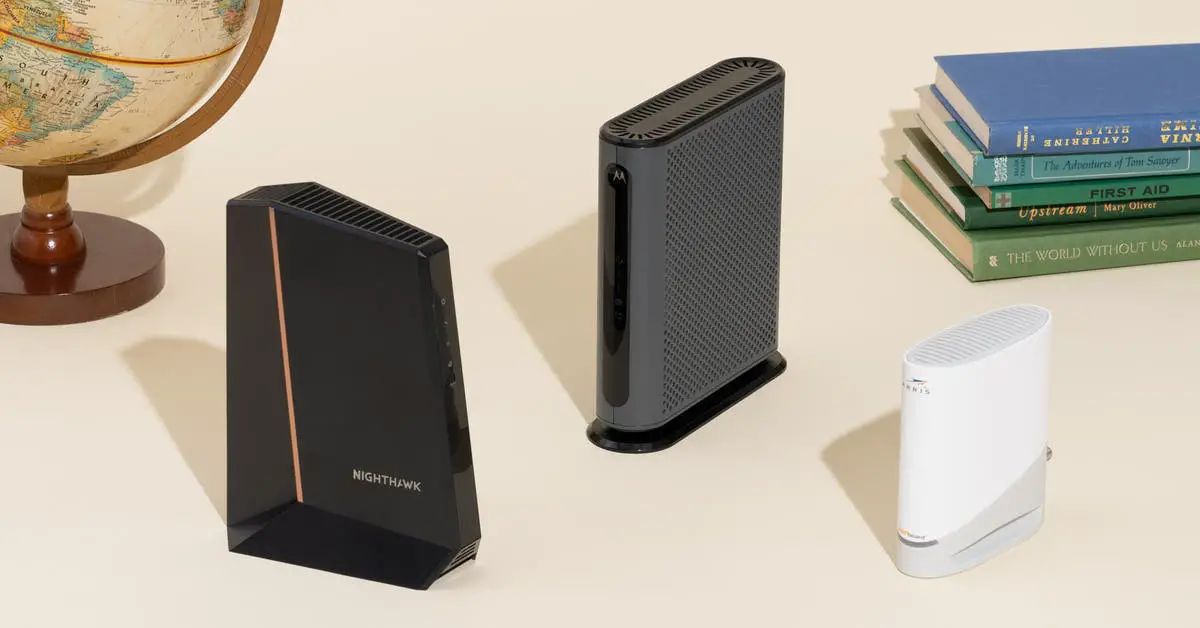
Yes, you should buy your own modem for Spectrum as relying on their customer service and tech support for any issues down the line will not be possible. It is recommended to purchase a modem that is compatible with the Spectrum network to ensure optimal service performance.
Renting a modem from Spectrum is also an option, but owning your own modem gives you more control over your internet experience.
The Benefits Of Buying Your Own Modem
By buying your own modem for Spectrum, you won’t have to rely on their customer service or tech support for any issues. However, you’ll need to handle any technological problems on your own. It’s a cost-effective option if you’re comfortable troubleshooting.
Reduce Extra Costs:
- Save money by purchasing your own modem instead of renting one from Spectrum.
- Avoid monthly rental fees and potential additional charges for repairs or replacements.
- Invest in a modem upfront and enjoy long-term cost savings.
Increased Control:
- Have more control over your internet connection and settings with your own modem.
- Customize your network to meet your specific needs and preferences.
- Adjust security settings, prioritize devices, and manage your network more efficiently.
Better Performance:
- Choose a modem that suits your specific needs for faster and more reliable internet speeds.
- Eliminate the limitations of a rental modem, which may not be optimized for your desired speed or performance.
- Upgrade to a modem that supports the latest technologies for enhanced internet browsing, streaming, and gaming experiences.
With these benefits in mind, buying your own modem for Spectrum can provide you with cost savings, increased control over your internet connection, and improved performance.
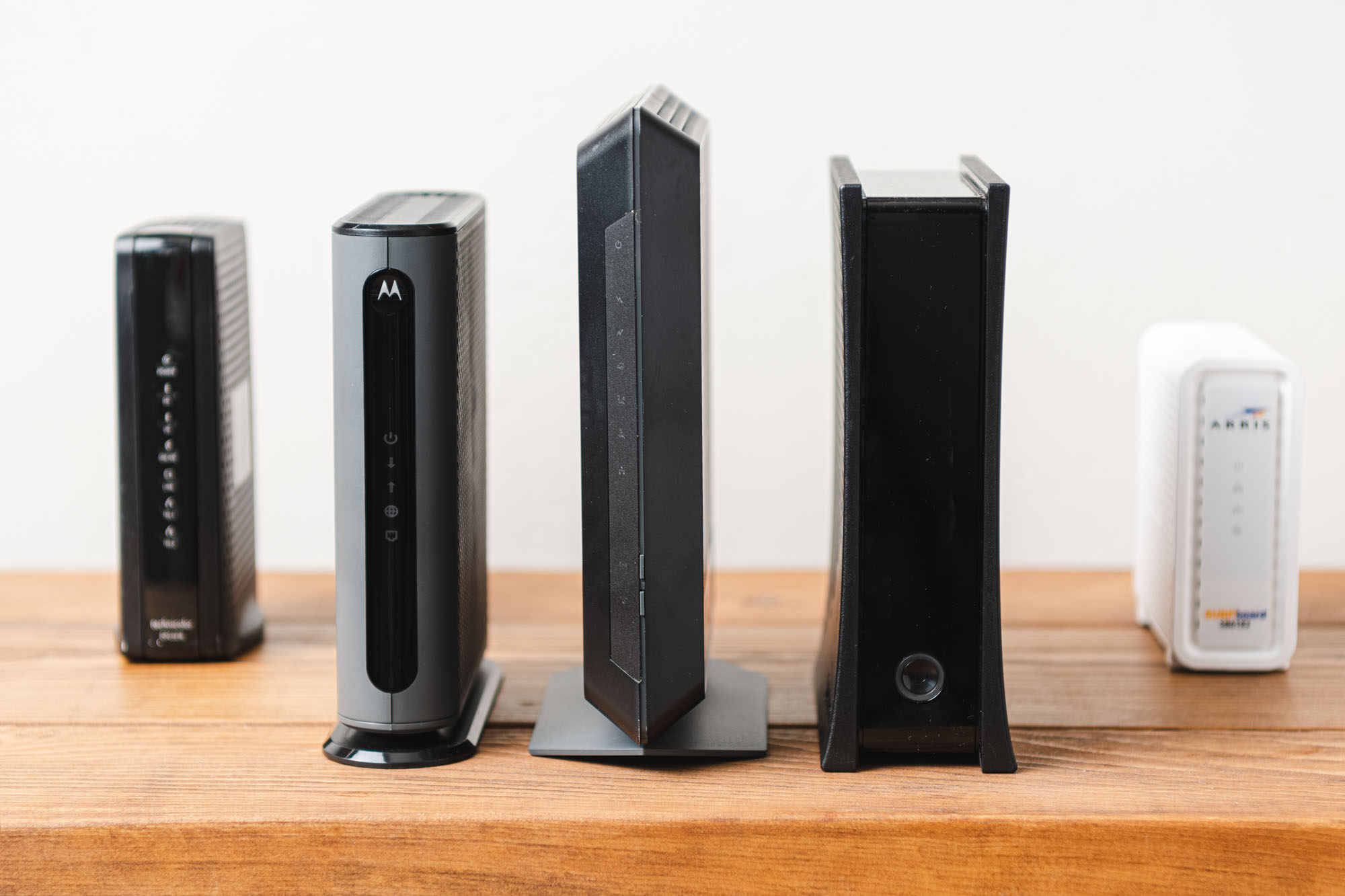
Credit: www.yourbestdigs.com
Compatibility With The Spectrum Network
Buying your own modem for Spectrum offers the flexibility to choose a device that meets your needs. However, it’s important to ensure compatibility with the Spectrum network to receive optimal performance and avoid any potential issues.
Ensuring Compatibility: Learn How To Check If A Modem Is Compatible With The Spectrum Network.
- Check the Spectrum website: Spectrum provides a list of approved modems on their official website. You can easily find this list by navigating to the Spectrum website and selecting the Internet tab. Look for the section on compatible modems, where you will find a comprehensive list of supported devices.
- Call Spectrum customer support: If you prefer speaking to a representative directly, you can contact Spectrum customer support to inquire about modem compatibility. They will be able to provide you with the necessary information and guide you in making the right choice.
- Check the modem specifications: Every modem comes with its own set of specifications. To ensure compatibility with the Spectrum network, look for DOCSIS 3.1 or DOCSIS 3.0 compatibility. Spectrum requires these versions for optimal performance.
- Consider the modem’s channels: Spectrum recommends modems with at least 16 downstream and 4 upstream channels for their network. Make sure the modem you choose meets these requirements to ensure a reliable and fast internet connection.
Spectrum Approved Modems: Discover The List Of Recommended Modems That Have Passed Spectrum’S Performance Certification Testing.
- ARRIS SURFboard SB6190: This modem has passed Spectrum’s performance certification testing and is compatible with their network. It supports DOCSIS 3.0 and provides high-speed internet connections.
- Netgear Nighthawk C7000: Another approved modem, the Netgear Nighthawk C7000 offers both modem and router functionality. It supports DOCSIS 3.0 technology and is capable of delivering fast internet speeds.
- Motorola MG7550: This modem-router combo has been tested and approved by Spectrum. It is equipped with DOCSIS 3.0 technology and provides a reliable internet connection for your home.
- TP-Link TC-W7960: If you are looking for an affordable option that has been approved by Spectrum, consider the TP-Link TC-W7960. This modem supports DOCSIS 3.0 and is a reliable choice for basic internet usage.
Choosing The Right Modem: Consider Your Internet Usage And Needs Before Selecting A Modem For The Spectrum Network.
- Determine your internet needs: Consider the number of devices you have connected to your network and the specific tasks you use the internet for. If you have multiple devices and engage in activities that require high bandwidth, such as streaming or online gaming, you may want to choose a modem with higher capabilities.
- Evaluate the speed: Check the internet speed you are subscribed to with Spectrum and ensure that the modem you choose can support that speed. Opting for a modem that can handle higher speeds will future-proof your internet connection.
- Consider the lifespan: Modems are long-term investments, so choose a modem that can meet your needs for years to come. Consider factors such as compatibility with future technologies and the manufacturer’s reputation for providing firmware updates.
- Budget: While it is important to consider your budget, keep in mind that a reliable and compatible modem is an investment. Consider the potential savings you can achieve by buying your own modem instead of renting one from Spectrum in the long run.
Remember, selecting the right modem is crucial for a smooth and reliable internet experience on the Spectrum network. By ensuring compatibility, choosing from the list of approved modems, and considering your specific needs, you can make an informed decision that best suits your requirements.
Technical Support And Customer Service
Considering buying your own modem for Spectrum? Keep in mind that if you choose to do so, you won’t have access to Spectrum’s customer service or technical support for any future issues. Be prepared to handle any technological problems that may arise on your own.
When it comes to technical support and customer service, there are a few key considerations to keep in mind when deciding whether to buy your own modem for Spectrum. Here are some important factors to consider:
Self-Support And Troubleshooting
- Understand that with your own modem, you will be responsible for resolving any technical issues that may arise. Spectrum’s customer service won’t be able to assist you with troubleshooting or resolving modem-related problems.
- You’ll need to have a basic understanding of networking and modem settings to effectively troubleshoot and fix any issues on your own.
- Being comfortable with troubleshooting can save you time and potentially money, as you won’t need to wait for a customer service representative to assist you.
Third-Party Support
- Explore alternative support options such as online forums and communities for assistance with modem-related problems. These communities are often filled with knowledgeable individuals who can guide you through troubleshooting steps.
- Online resources such as YouTube tutorials, tech blogs, and manufacturer websites can also provide guidance on resolving common modem issues.
Weighing The Pros And Cons
- Evaluate the trade-offs between relying on Spectrum’s customer service and having the freedom to troubleshoot on your own. Consider factors such as your technical knowledge, the level of support you may need, and your willingness to take on the responsibility of troubleshooting.
- Buying your own modem can give you more control over your internet setup, allowing you to choose a modem that suits your specific needs and potentially even save on monthly rental fees.
- However, by relying on Spectrum’s customer service, you have the peace of mind knowing that if any issues arise, you can reach out to their support team for assistance.
Ultimately, the decision of whether to buy your own modem for Spectrum depends on your technical expertise, comfort with troubleshooting, and preference for self-support versus relying on customer service. Take the time to weigh the pros and cons before making your decision.
Frequently Asked Questions Of Should I Buy My Own Modem For Spectrum
Should I Buy My Own Modem Or Rent From Spectrum?
Buying your own modem is recommended as it allows you more flexibility and control.
Is Spectrum Cheaper With Your Own Modem?
Yes, Spectrum is cheaper if you use your own modem. You won’t have to rely on their customer service for tech support.
Should I Replace Spectrum Modem With My Own?
Yes, you should consider replacing the Spectrum modem with your own.
Does Spectrum Allow You To Buy Your Own Modem?
Yes, Spectrum allows you to buy your own modem.
Conclusion
Ultimately, the decision to buy your own modem for Spectrum depends on your specific needs and preferences. While renting a modem from Spectrum may provide convenience and technical support, purchasing your own modem can offer long-term cost savings and greater control over your internet connection.
When buying your own modem, ensure that it is compatible with the Spectrum network to avoid any compatibility issues. Additionally, consider factors such as internet speed requirements, budget, and the level of technical knowledge required to set up and maintain your own modem.
It’s important to weigh the pros and cons and assess your individual circumstances before making a decision. Whether you choose to buy or rent, Spectrum offers a range of modem options to suit your needs. Explore the available choices and make an informed decision that aligns with your internet usage and budget constraints.