
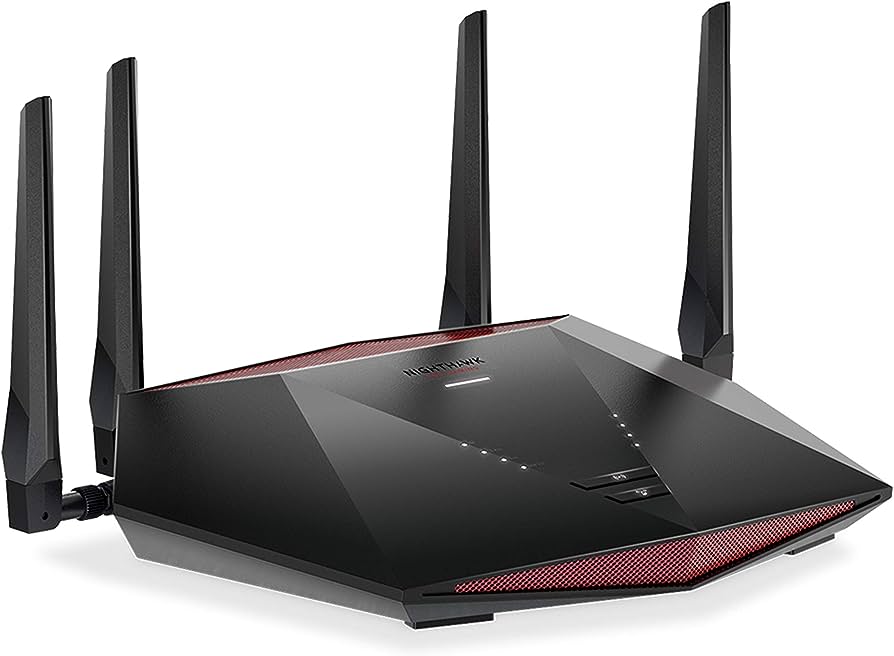
Spectrum Internet lag spikes can be caused by slow upload and download speeds, network congestion, bandwidth restriction, local outages, or hardware issues. When experiencing lag spikes with good internet, it is often network-related and can be caused by congestion or interference along the route from your computer to the server.
It’s important to analyze the network issues that may be causing ping spikes and packet loss. Additionally, lag spikes can also be caused by devices in your home, your ISP, or the quality and location of game servers you’re connecting to.
It may be helpful to use diagnostic tools like PingPlotter to identify potential issues within the Spectrum network.
Understanding Spectrum Internet Lag Spikes
Spectrum Internet Lag Spikes can be caused by network congestion, bandwidth restriction, or hardware issues. It is important to troubleshoot and identify the underlying cause to improve your internet connection speed.
Lag spikes on Spectrum internet can be frustrating when they disrupt your online activities. Whether you’re streaming a movie, playing an online game, or video conferencing, lag spikes can significantly affect your experience. In this section, we will explore what lag spikes are, why they occur on Spectrum internet, and the impact they have on your online activities.
What Are Lag Spikes And Why Do They Occur?
Lag spikes refer to sudden, brief interruptions in the flow of data packets between your device and the server you’re connected to. These interruptions can result in delays, freezing screens, or even disconnections. While lag spikes can occur on any internet service, they can be particularly noticeable on Spectrum internet due to factors such as network congestion and bandwidth restrictions.
Here are some key points to understand about lag spikes:
- Lag spikes happen when there is a delay in the transmission of data between your device and the server.
- They can be caused by various factors including network congestion, bandwidth restrictions, and hardware issues.
- Lag spikes are often temporary and resolve quickly, but they can still disrupt your online activities.
Factors Contributing To Lag Spikes On Spectrum Internet
Several factors can contribute to lag spikes specifically on Spectrum internet. It’s important to understand these factors to effectively troubleshoot and mitigate lag spikes. Here are some common factors that may cause lag spikes on Spectrum internet:
- Network congestion: When too many users are connected to the same network, it can lead to increased traffic and cause lag spikes.
- Bandwidth restrictions: If your internet plan has certain limitations on upload or download speeds, exceeding those limits can result in lag spikes.
- Local outage: Outages in your local area can affect the stability of your internet connection and lead to lag spikes.
- Hardware issues: Problems with your modem, router, or other networking equipment can impact the quality of your connection and cause lag spikes.
Impact Of Lag Spikes On Online Activities
Lag spikes can significantly impact various online activities, disrupting your overall experience. Here’s how lag spikes can affect different scenarios:
- Gaming: In online gaming, even a split-second delay caused by a lag spike can result in missed opportunities or being at a disadvantage compared to other players.
- Streaming: Lag spikes can cause buffering and interruptions while streaming movies, TV shows, or live events, leading to a poor viewing experience.
- Video conferencing: During video calls, lag spikes can result in frozen screens, jittery video, and delayed audio, making it difficult to communicate effectively.
- Online transactions: Lag spikes can impact online transactions such as e-commerce purchases or financial transactions, potentially causing delays and errors.
To ensure a smooth online experience, it’s essential to address and minimize lag spikes when using Spectrum internet. Understanding the causes and implications of lag spikes can help you troubleshoot and optimize your connection for better performance.
Troubleshooting Spectrum Internet Lag Spikes
Experiencing lag spikes with your Spectrum Internet? Slow upload or download speeds may be due to bandwidth restrictions, network congestion, or hardware issues. However, it’s important to note that if ping spikes occur while gaming, the problem could be caused by devices in your home, the router, or the quality/location of game servers.
Troubleshooting these factors can help resolve the issue.
If you’re experiencing lag spikes on your Spectrum internet connection, rest assured that there are several troubleshooting steps you can take to resolve the issue. Check out the following tips to get your internet running smoothly again:
Check Your Internet Connection Speed:
- Conduct an internet speed test to determine the current upload and download speeds.
- If the speed is lower than what your plan offers, it may indicate a slow Spectrum connection.
- Slower download speeds can be caused by bandwidth restrictions, network congestion, local outages, or hardware issues.
Identify And Resolve Hardware Issues:
- Inspect all hardware components, such as your modem, router, and cables, for any signs of damage or wear.
- If any issues are found, consider replacing or repairing the faulty hardware.
- Ensure that your modem and router are properly connected and powered on.
Address Network Congestion And Bandwidth Restrictions:
- Network congestion can occur during peak usage hours when many users are online simultaneously.
- If you’re experiencing lag spikes during specific times of the day, try using the internet during off-peak hours to avoid congestion.
- Contact your internet service provider (ISP) to determine if there are any bandwidth restrictions in place that could be causing the lag spikes.
Optimize Your Router Settings For A Lag-Free Experience:
- Log in to your router’s admin panel and update its firmware to the latest version.
- Enable Quality of Service (QoS) settings to prioritize certain applications or devices for smoother performance.
- Adjust the router’s channel settings to avoid interference from nearby wireless devices.
By following these troubleshooting steps, you can improve your Spectrum internet connection and reduce lag spikes. If the issue persists, don’t hesitate to reach out to Spectrum’s customer support for further assistance.
Tips For Preventing Spectrum Internet Lag Spikes
Prevent Spectrum Internet lag spikes with these helpful tips. Optimize your network settings, use an Ethernet connection for a stable connection, and limit bandwidth-heavy activities to reduce lag. Additionally, ensure your equipment is updated and positioned correctly for better signal strength.
:
Lag spikes can be frustrating, especially when you’re in the middle of an important online activity. Fortunately, there are several tips that can help you minimize or even eliminate lag spikes on your Spectrum internet connection. Here are some effective strategies you can try:
Upgrade Your Internet Plan For Higher Speeds:
- Consider upgrading your current internet plan to a higher speed tier. Higher speeds can provide a more stable and consistent internet connection, reducing the chances of experiencing lag spikes.
- Contact Spectrum customer service to inquire about available speed options and determine if an upgrade is feasible for your needs.
Use A Wired Connection Instead Of Wi-Fi:
- Connect your device directly to the modem or router using an Ethernet cable. Wired connections tend to be more stable and faster than Wi-Fi, which can help prevent lag spikes.
- If using a wired connection is not convenient, ensure that your Wi-Fi router is placed in a central location and away from obstructions. This can help optimize signal strength and reduce potential interference.
Minimize Interference From Other Devices:
- Keep your internet-connected devices away from potential sources of interference, such as cordless phones, microwave ovens, or other electronic devices.
- If you live in a crowded area, changing your Wi-Fi channel settings can help reduce interference from neighboring networks. Refer to your router’s user manual or contact Spectrum customer service for assistance.
Employ Quality Of Service (Qos) Settings For Prioritizing Online Activities:
- Many modern routers offer Quality of Service (QoS) settings that allow you to prioritize certain types of internet traffic over others. Configure your router’s QoS settings to prioritize activities that require low latency, such as online gaming or video conferencing.
- Prioritizing specific devices, such as your gaming console or smart TV, can also help ensure a smooth online experience for those devices.
By following these tips, you can significantly reduce the occurrence of lag spikes on your Spectrum internet connection. Remember to regularly check for firmware updates for your router and modem, as well as optimize your network settings for the best possible performance.

Credit: www.asurion.com
Frequently Asked Questions On Spectrum Internet Lag Spikes
Why Does Spectrum Keep Lagging?
Spectrum internet may lag due to slow upload/download speeds, bandwidth restrictions, network congestion, local outages, or hardware issues. Lag can also be caused by ping spikes, packet loss, or issues with the route between your device and the server. Check for these potential causes and try troubleshooting or contacting Spectrum for assistance.
Why Is My Spectrum Internet Spiking?
Spectrum internet spiking can happen due to slow connection, bandwidth restrictions, network congestion, local outages, or hardware issues.
Why Do I Have Lag Spikes With Good Internet?
Lag spikes with good internet are often caused by network-related issues such as congestion or interference. It can also be due to bandwidth restrictions or hardware problems. Spectrum internet service is shared, so more people getting online can lead to more lag spikes.
Other factors like device issues or server quality/location may also contribute to lag spikes.
Why Is My Lag Spiking?
Your lag spikes may be caused by various factors such as slow internet speed, bandwidth restriction, network congestion, local outage, or hardware issues. It could also be due to interference or congestion on the route between your computer and the game servers.
If the lag spikes persist, it could be caused by a device in your home, your ISP, or the quality and location of the game servers you’re connecting to. Consider performing diagnostic tests or contacting your internet service provider for assistance.
Conclusion
It is frustrating when you are experiencing lag spikes while using Spectrum Internet. Slow upload and download speeds can be a result of bandwidth restrictions, network congestion, local outages, or hardware issues. Spectrum being a shared service means that as more people connect to the network, you may see more lag spikes.
However, if you are consistently experiencing lag spikes, it could be due to some device in your home or the router itself. Analyzing network issues such as ping spikes and packet loss is essential, as they are often caused by congestion or interference on the route between your computer and the server.
While pinpointing the exact cause of lag spikes may take some time and troubleshooting, it is important to communicate any persisting issues to Spectrum so that they can assist you in finding a solution. Ensure that your internet connection remains stable and optimized for a seamless online experience.