
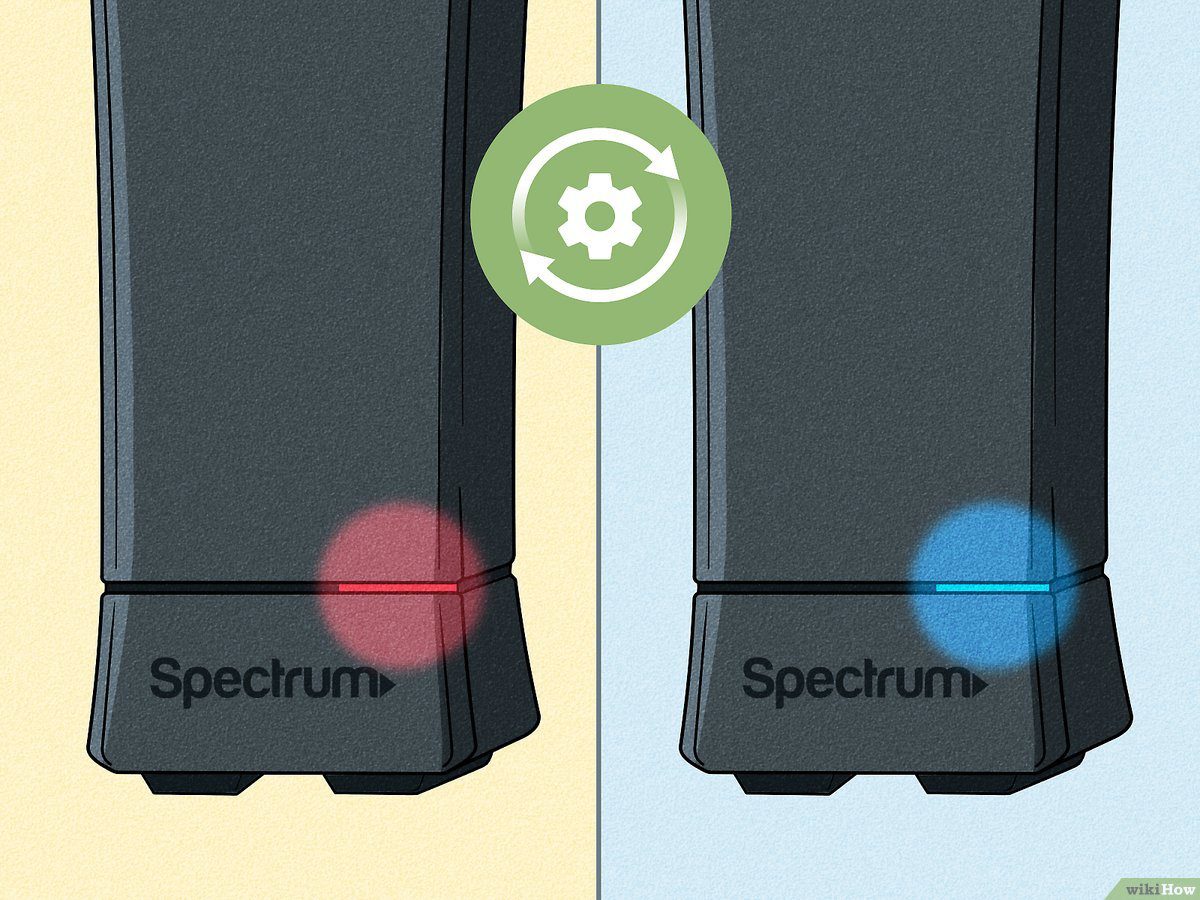
A flashing orange light on your Spectrum modem indicates a lack of internet connection. This can be due to a firmware update or a possible modem failure.
Ensure your cable connections are secure and try rebooting the modem and router.
Understanding Spectrum Modem Blinking Orange
A blinking orange light on your Spectrum modem indicates a lack of internet connection. This could be due to a firmware update or an issue with the hardware. Learn how to troubleshoot and fix the problem with our step-by-step guide.
A flashing orange light on your Spectrum modem indicates that there is an issue with your internet connection. It means that your modem is not able to establish a connection to the internet. Differentiating between a blinking orange light and a blue flashing light can help you troubleshoot the problem more effectively.
Here are some key points to help you understand what a flashing orange light indicates:
- No Internet Connection: The flashing orange light on your modem means that you do not have a working internet connection. It is important to address this issue as it may disrupt your online activities.
- Firmware Update: Sometimes, if the modem firmware gets updated, it can also cause the modem to flash orange. This is a normal process, but if the flashing persists for a long time, it is recommended to contact Spectrum support.
- Troubleshooting Steps: If you notice a blinking orange light on your modem, here are some troubleshooting steps you can try:
- Check Connections: Ensure that all cables connected to your modem are securely plugged in. Loose connections can cause connectivity issues.
- Reboot Modem: Try rebooting your modem by unplugging it from the power source, waiting for a few seconds, and plugging it back in. This can help resolve temporary glitches.
- Contact Spectrum Support: If the blinking orange light persists or you are unable to resolve the issue on your own, it is advisable to contact Spectrum support for assistance. They will be able to guide you further and help with any necessary troubleshooting steps.
Remember, a blinking orange light on your Spectrum modem indicates a problem with your internet connection. By following the troubleshooting steps or reaching out to Spectrum support, you can work towards resolving the issue and getting your internet connection back up and running smoothly.
Common Causes Of Spectrum Modem Flashing Orange
If you’re experiencing a Spectrum modem flashing orange, it likely means that you don’t have a working internet connection. This could be due to a firmware update or a hardware issue with your modem or router. Troubleshooting steps may be required to fix the problem.
:
A blinking orange light on your Spectrum modem can be frustrating, as it indicates that there is an issue with your internet connection. Understanding the common causes behind this problem can help you troubleshoot and resolve it quickly. Here are the main reasons why your Spectrum modem may be flashing orange:
No Internet Connection:
- Loose or faulty cables: Check all the cables connecting your modem to the wall outlet and the router. Ensure they are securely plugged in and not damaged.
- Service outage: It’s possible that there is a temporary service interruption in your area. Reach out to your internet service provider to check if there are any reported outages.
- Account issues: Verify if your Spectrum account is active and in good standing. An unpaid bill or other account-related issue may be causing the lack of internet connection.
Modem Firmware Updates:
- Automatic firmware update: Sometimes, when a firmware update is available for your Spectrum modem, it will start flashing orange to indicate that it is installing the new software. This process usually takes a few minutes.
- Failed firmware update: In some cases, if the firmware update fails or gets interrupted, the modem may continue flashing orange. Resetting the modem or contacting Spectrum support may be necessary to resolve this issue.
Difficulty Connecting To The Internet:
- Router issues: If you have a separate router connected to your modem, check if it is functioning properly. Restarting both the modem and router can help establish a stable connection.
- Wi-Fi settings: Ensure that the Wi-Fi settings on your modem are correctly configured. Double-check the network name (SSID) and password to ensure they are entered correctly on your devices.
Potential Modem Failure:
- Hardware problem: A blinking red light on your Spectrum modem indicates a potential hardware failure. Try resetting the modem and ensuring all cables are securely connected. If the problem persists, contact your internet service provider for assistance.
By understanding these common causes, you can troubleshoot and resolve the issue of a Spectrum modem flashing orange. Remember to always double-check your connections and seek professional assistance if needed.
Troubleshooting Steps To Fix Spectrum Modem Flashing Orange
If your Spectrum modem is flashing orange, it indicates that there is no internet connection. This can be resolved by ensuring all connections are secure and rebooting the modem and router. Additionally, updating the modem firmware may also fix the issue.
If you’re experiencing the frustration of a Spectrum modem flashing orange, don’t worry – there are steps you can take to fix the issue. Follow these troubleshooting steps to get your internet connection up and running smoothly again.
Check The Internet Connection:
- Ensure that the modem is properly connected to the internet source.
- Verify that your Wi-Fi or Ethernet connection is working on other devices.
- Make sure there are no service outages or maintenance activities in your area.
Restart The Modem And Router:
- Unplug the power cables from both the modem and router.
- Wait for at least 30 seconds before plugging them back in.
- Allow the devices to restart and establish a fresh connection.
Ensure All Cable Connections Are Secure:
- Check all cable connections between the modem, router, and wall outlet.
- Make sure each cable is securely plugged in and not loose.
Power Cycle The Modem:
- Turn off the modem by unplugging its power cable.
- Wait for about 60 seconds before plugging it back in.
- Allow the modem to power up and establish a connection.
Update The Modem Firmware (If Applicable):
- Access the modem’s settings page through a web browser.
- Look for any available firmware updates and follow the instructions to install them.
- Updating the firmware can resolve compatibility issues and improve modem performance.
Contact Spectrum Customer Support For Assistance:
- If the above steps don’t resolve the issue, it’s recommended to reach out to Spectrum customer support.
- Contact their technical support team for further guidance and assistance.
- They have the expertise to troubleshoot and resolve any modem-related issues.
By following these troubleshooting steps, you can fix the Spectrum modem flashing orange issue and get your internet connection back on track. Don’t hesitate to reach out to Spectrum customer support if needed.
Additional Resources And Recommendations
If your Spectrum modem is flashing orange, it indicates a problem with your internet connection. Make sure all cables are securely connected and try rebooting the modem and router. If the issue persists, it might be a hardware problem that requires further troubleshooting.
Understanding The Meaning Of Other Modem Lights:
- Blue light: A blue flashing light on your modem indicates that your router is updating or may need an update. It does not indicate any issue with your internet connection.
- Blinking orange light: If you notice a blinking orange light on your modem, it means that there is no internet connection available. This could be due to various reasons, such as an issue with your ISP or a problem with the modem itself.
- Blinking red light: A blinking red light on your modem indicates a possible modem failure. In this case, you should contact your service provider or Spectrum support for further assistance.
- Solid green light: A solid green light on your modem’s power indicator means that the unit is properly connected to power and functioning normally.
Tips To Identify A Faulty Spectrum Modem:
- Check for power and cable connections: Ensure that all the power and cable connections to your modem are tight and secure. Loose connections can cause issues with the modem’s performance.
- Restart the modem: Try restarting your Spectrum modem by unplugging the power cord, waiting for a few seconds, and then plugging it back in. This can help resolve temporary glitches and connectivity issues.
- Observe other modem lights: Pay attention to the other lights on your modem and their behavior. If you notice any unusual blinking or solid lights, it could indicate a problem with the modem.
- Contact Spectrum support: If you have tried the above steps and are still experiencing issues with your Spectrum modem, it is best to contact Spectrum support for further troubleshooting and assistance. They can guide you through additional steps or schedule a technician visit if required.
Community Discussions And Insights On Spectrum Modem Issues:
- Reddit: The Reddit community often provides valuable insights and discussions related to Spectrum modem issues. You can browse through threads and posts to find solutions or join ongoing conversations with other users experiencing similar problems.
- Spectrum community forums: Spectrum has its own community forums where users can interact, discuss, and seek assistance regarding various issues, including modem problems. You can find solutions, troubleshooting tips, and user experiences by browsing through the forums.
- Online tech support forums: There are also several online tech support forums where users discuss and share their experiences with Spectrum modems. These forums can be a helpful resource to find common problems and their solutions, as well as to seek advice from experienced users.
- YouTube tutorials and videos: YouTube is a great platform to find tutorials and videos related to Spectrum modem troubleshooting. You can find step-by-step guides, tips, and tricks shared by experts and users alike. Watching these videos can help you understand and resolve common modem issues.

Credit: www.connectcalifornia.com
Frequently Asked Questions For Spectrum Modem Flashing Orange
Why Is My Internet Connection Blinking Orange?
A blinking orange light on your internet connection means there is no working connection. It may also indicate that the modem firmware is being updated.
Is Modem Supposed To Blink Orange?
A blinking orange light on the modem means there is no internet connection. It could also indicate a modem firmware update.
Why Is My Modem Power Button Flashing?
When the modem power button is flashing, it means there is difficulty connecting to the internet. Ensure all cable connections are secure and reboot the modem and router (if applicable).
How Do I Know If My Spectrum Modem Is Bad?
If your Spectrum modem has a blinking orange light, it means there is no internet connection.
Conclusion
If you are experiencing a blinking orange light on your Spectrum modem, it indicates that there is no internet connection. This could be due to various reasons such as a firmware update or a possible modem failure. To fix this issue, ensure that all cable connections are tight and secure, and reboot your modem and router if applicable.
Additionally, make sure that your router is not in the process of updating or in need of an update, as this can also cause the orange light to flash. If you have tried these solutions and are still experiencing the problem, it may be a sign of a hardware issue with your modem or router.
In such cases, you might consider reaching out to your internet service provider for further assistance. Remember, a solid understanding of the modem lights and their meanings can help you troubleshoot and resolve any connectivity issues efficiently.