
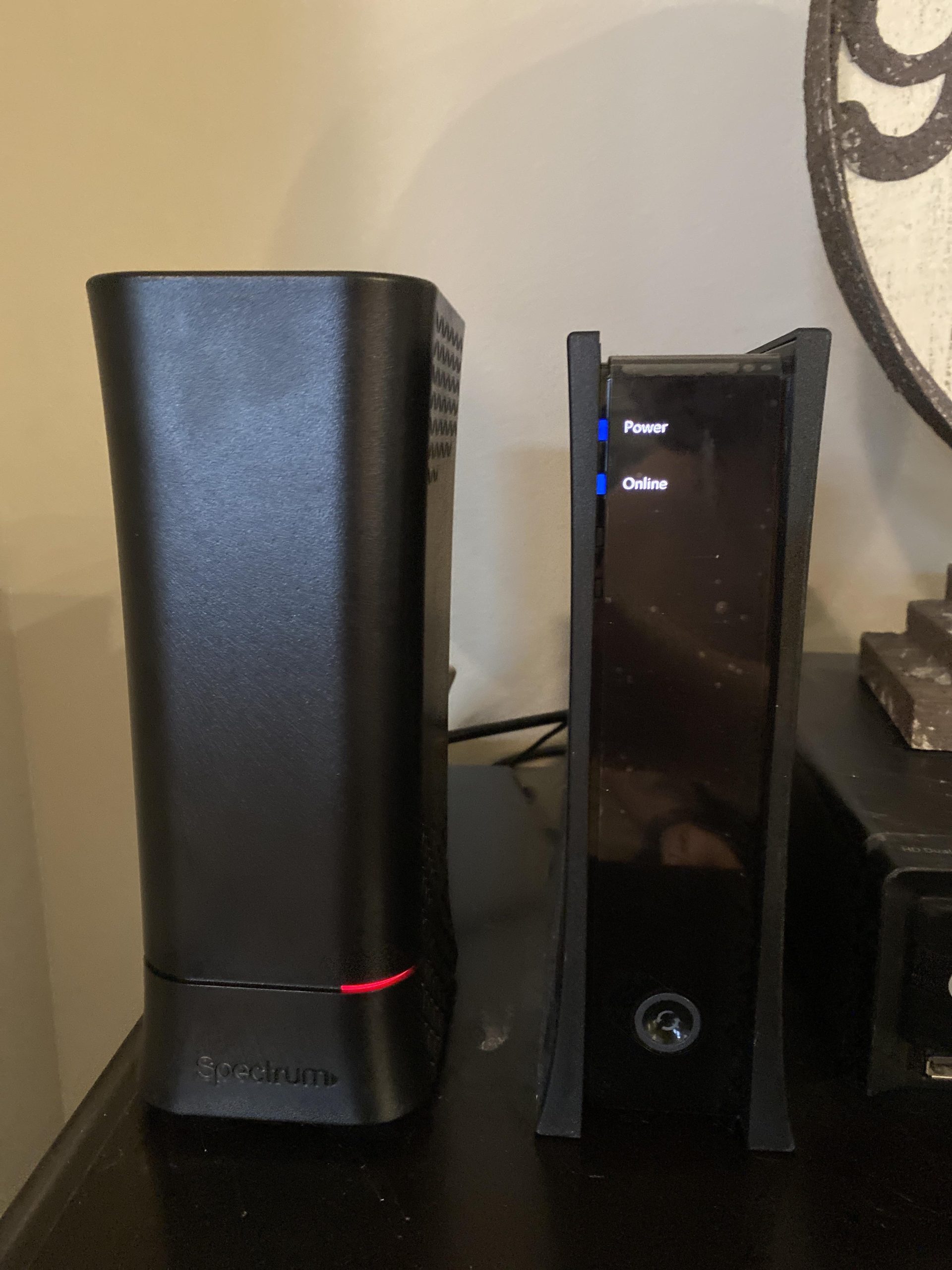
A red light on a Spectrum router can indicate two things: a solid light means the router is powered on but not connected to the internet, while a flashing light indicates that the router is unable to establish a stable internet connection. This issue can be fixed by power cycling the equipment.
However, if the issue persists, it may be necessary to contact Spectrum support for further assistance.
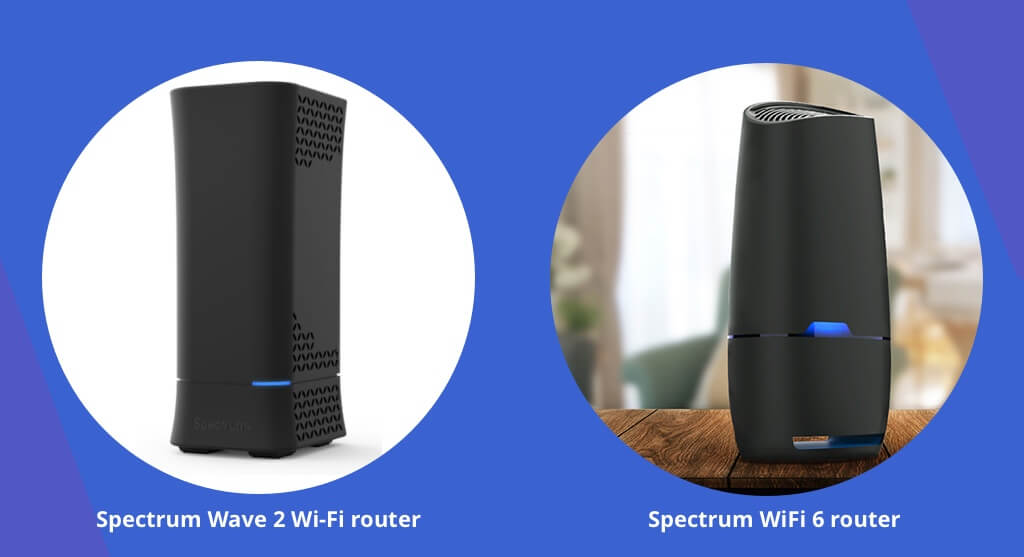
Credit: www.connectcalifornia.com
Understanding The Red Light On Spectrum Router
The red light on your Spectrum router can have two meanings. If it’s solid, it means the router is powered on but not connected to the internet. If it’s flashing, it indicates a problem establishing a stable internet connection. Learn how to fix it in this helpful guide.
A red light on your Spectrum router can indicate one of two things. It’s important to understand what the red light signifies so you can troubleshoot and fix any issues. Let’s delve into what the red light on your Spectrum router means and how to address it.
What Does A Red Light On Spectrum Router Indicate?
- Solid Red Light: When the red light on your Spectrum router is solid, it means the router is powered on but not connected to the internet. This could be due to various reasons, such as an issue with your Spectrum service or a problem with the wiring in your home.
- Flashing Red Light: A flashing red light on your Spectrum router indicates that the router is unable to establish a stable internet connection. This can be caused by different factors, including a faulty modem or issues with the network settings.
Differentiating Between Solid And Flashing Red Light
- Solid red light: The red light remains consistently lit without any blinking.
- Flashing red light: The red light blinks at regular intervals, indicating a connection problem.
Possible Causes Of Red Light On Spectrum Router
- Service Outage: Sometimes, a red light on your Spectrum router can be due to a service outage in your area. Contact Spectrum customer support to check if there are any reported outages.
- Wiring Issues: Faulty or loose cables can lead to a red light on your router. Make sure all cables are securely connected to the router and modem.
- Modem Problems: A malfunctioning modem can result in a red light on the router. Power cycle the modem by unplugging it from the power source, waiting for a few seconds, and then plugging it back in.
- Network Settings: Incorrect network settings can prevent your router from establishing a stable internet connection. Resetting the router to its default settings or reconfiguring the network settings might resolve the issue.
- Router Hardware: In some cases, the red light might indicate a hardware problem with the router itself. If none of the above solutions work, it might be necessary to contact Spectrum technical support for further assistance.
Remember, troubleshooting steps can vary depending on the specific router model and the nature of the problem. If you are unsure or need more specific guidance, it’s always best to consult Spectrum customer support or refer to the router’s user manual.
In Summary
Understanding the red light on your Spectrum router is crucial in resolving any connectivity issues. A solid red light indicates no internet connection, while a flashing red light suggests connection problems. Troubleshooting steps can include checking for service outages, ensuring proper wiring, power cycling the modem, adjusting network settings, or contacting technical support.
By identifying the cause of the red light, you can take the necessary steps to fix the issue and restore your internet connection.
Troubleshooting Steps For Spectrum Red Light Router
Facing issues with your Spectrum Red Light Router? Learn how to troubleshoot it in a few simple steps. From unplugging and reconnecting to checking internet connectivity, fix the red light issue and establish a stable internet connection hassle-free.
If you’re experiencing issues with your Spectrum Red Light Router, don’t worry! We’ve got you covered with some simple troubleshooting steps to get you back online in no time. Follow these easy solutions to resolve the most common problems associated with the red light on your router:
Step 1: Check Internet Service Status
- Ensure that your internet service is not facing any disruptions or outages. You can do this by contacting your internet service provider or checking their website for any reported issues.
Step 2: Check Router Power And Connections
- Make sure that your router is properly powered on and connected securely to your modem or cable outlet. Double-check all cables and connections to ensure they are not loose or damaged.
Step 3: Reboot Your Router
- One of the simplest and most effective solutions is to reboot your router. Unplug the power cable from the router, wait for 10 seconds, and then plug it back in. Give it a minute or two to restart, and check if the red light issue is resolved.
Step 4: Ensure Proper Wi-Fi Signal Strength
- Check the Wi-Fi signal strength on your device. Make sure you are within range of your router and that there are no physical obstructions hindering the signal. You can try moving closer to the router or adjusting its position for better coverage.
Step 5: Update Router Firmware
- Outdated firmware can often cause connectivity issues. Check if there are any available firmware updates for your router model on the manufacturer’s website. Follow the provided instructions to download and install the latest firmware.
Step 6: Reset Router To Factory Settings
- If all else fails, you can try resetting your router to its factory settings. Keep in mind that this will erase any customized settings and configurations. Locate the reset button on your router, usually found on the back or bottom, and press it for about 10 seconds until the lights flash. Afterward, reconfigure your router with the appropriate settings.
By following these troubleshooting steps, you should be able to resolve common issues associated with the red light on your Spectrum Red Light Router. If the problem persists, don’t hesitate to reach out to your internet service provider for further assistance.
Stay connected!
Additional Tips To Fix Spectrum Red Light Router Issues
Having a red light on your Spectrum router could indicate a lack of internet connection or an unstable connection. To fix this issue, try unplugging and reconnecting your router, as well as checking your Spectrum service and home wiring.
If you are facing issues with your Spectrum router and notice a red light blinking, it could indicate a problem with your internet connection. However, there are a few steps you can take to troubleshoot and resolve the issue. Here are some additional tips to fix Spectrum red light router issues:
Tip 1: Check For Interference From Nearby Devices
- Ensure that there are no other electronic devices, such as cordless phones or baby monitors, placed near your router as they can interfere with the signal.
- Move your router to a different location, away from potential sources of interference.
- Avoid placing the router near walls or in enclosed spaces, as this can weaken the signal strength.
Tip 2: Use Ethernet Cable For Wired Connection
- If possible, connect your device to the router using an Ethernet cable. This ensures a stable and reliable connection, especially if you are experiencing Wi-Fi issues.
- Check the Ethernet cable for any damage or loose connections.
- Restart your device after connecting it via Ethernet to allow it to establish a new connection.
Tip 3: Contact Spectrum Customer Support
- If the above steps do not resolve the red light issue, it is recommended to reach out to Spectrum customer support for assistance.
- Contact their helpline or visit their website for troubleshooting guides specific to your router model.
- Their technical support team will be able to provide you with further guidance and support to resolve the issue.
Remember, a solid red light on your Spectrum router indicates a lack of internet connectivity, while a blinking red light signifies an unstable connection. By following these additional tips and reaching out to Spectrum customer support if needed, you should be able to fix the red light router issue and restore your internet connection.
Frequently Asked Questions On Spectrum Red Light Router
What Does Red Light On Spectrum Router Mean?
A red light on a Spectrum router can mean two things: if solid, it’s not connected to the internet; if flashing, it can’t establish a stable connection.
How Do I Fix The Red Light On My Wifi Router?
To fix the red light on your WiFi router, follow these steps: 1. Unplug the power cable from the router. 2. Wait for a few seconds, then plug the cable back in. 3. Ensure that your cable modem is connected properly.
4. Connect to the WiFi router again. 5. If the red light persists, consider contacting your internet service provider for further assistance. Remember to power cycle your equipment if you see red lights on your router.
Why Is The Red Light On My Spectrum Router Flashing?
The flashing red light on your Spectrum router indicates that it is unable to establish a stable internet connection. This could be due to a variety of issues, such as a weak signal or a problem with the router’s firmware or connection.
What Does It Mean When The Red Light On My Router Is Solid?
A solid red light on your Spectrum router means that it is powered on but not connected to the internet. This could suggest a problem with your Spectrum service, the wiring in your home, or a problem with the router itself.
Conclusion
One of the most common issues that Spectrum Red Light Router users face is the presence of a red light on their router. This red light can indicate a couple of different things, depending on whether it is solid or blinking.
If the light is solid, it means that the router is powered on but not connected to the internet. On the other hand, a blinking red light indicates that the router is having trouble establishing a stable internet connection. When faced with this issue, it is important to take the appropriate steps to fix it.
Power cycling your equipment can often resolve the problem. Additionally, checking for any firmware or connection issues and ensuring that your wiring is correctly installed can make a difference. Dealing with a red light on your Spectrum Red Light Router can be frustrating, but with a few troubleshooting steps, you can get back to enjoying a stable internet connection.
By following the recommended solutions, you can resolve the issue and avoid further disruptions in your internet service.