

Yes, Spectrum allows customers to use their own router, but they also offer a pre-configured WiFi router for rent. This allows customers to have flexibility in their internet setup while still benefiting from Spectrum’s speed and security.
By using their own router, customers can potentially save money on monthly ISP equipment rental fees.
Benefits Of Using Your Own Router With Spectrum
By using your own router with Spectrum, you have the flexibility to choose a router that suits your needs and preferences. You can avoid rental fees and enjoy increased control over your network settings for a better internet experience.
:
By using your own router with Spectrum, you can enjoy several valuable benefits. Here are the advantages you can experience:
Enhanced Internet Speed and Performance:
- Eliminate the limitations of a rented router and take control of your internet speed.
- Choose a router that offers advanced features and is optimized for your specific needs.
- Experience faster and more reliable internet performance for online gaming, streaming, and other bandwidth-intensive activities.
Increased Network Security:
- Safeguard your personal information and protect your devices from potential cybersecurity threats.
- Set up robust security protocols, such as WPA2 encryption, to keep your network safe.
- Take advantage of enhanced firewall and parental control options to ensure a secure browsing experience for everyone in your household.
Cost Savings on Monthly Router Rental Fees:
- Save money over the long term by using your own router instead of renting one from Spectrum.
- Avoid monthly rental fees that can add up over time and put extra strain on your budget.
- Enjoy the freedom to choose a router that fits your needs and budget, without being limited to the options provided by Spectrum.
By using your own router with Spectrum, you have the power to optimize your internet experience with enhanced speed, heightened security, and long-term cost savings. Take charge of your internet connection and enjoy the benefits of owning your router.
How To Choose A Compatible Router For Spectrum
Spectrum customers have the option to use their own router or rent a pre-configured WiFi router from Spectrum. By choosing the latter, customers can enjoy reliable speed and enhanced security without the hassle of purchasing and setting up their own router.
Research Spectrum’S Compatible Router List:
- Start by researching Spectrum’s official website or contacting their customer support to find a comprehensive list of compatible routers. This will ensure that you choose a router that is officially supported by Spectrum for optimal performance.
Consider Your Internet Speed Tier:
- Take into account the internet speed tier that you currently subscribe to or plan to upgrade to. Different routers have different capabilities and may be better suited for specific internet speed tiers. Consider the following:
- Lower Speed Tiers: If you have a basic internet plan with lower speeds, a standard router should suffice.
- Higher Speed Tiers: For faster internet plans, you’ll need a router that can handle the increased bandwidth. Look for routers with Gigabit Ethernet ports and higher wireless speeds to fully utilize your internet tier.
Look For Advanced Features Like Dual-Band And Gigabit Ethernet:
- Dual-Band: Consider routers that offer dual-band technology, which allows you to connect to both 2.4GHz and 5GHz frequency bands. This provides flexibility in choosing the best wireless band for different devices and helps reduce interference.
- Gigabit Ethernet: Look for routers with Gigabit Ethernet ports, especially if you have multiple devices that require a wired connection. Gigabit Ethernet provides faster and more reliable wired connections compared to standard Ethernet ports.
Remember to choose a router that meets your specific needs and provides compatibility with Spectrum’s network.
Steps To Set Up Your Own Router With Spectrum
To set up your own router with Spectrum, Spectrum customers have the option to use or purchase their own router. However, you can also choose to rent a pre-configured WiFi router from Spectrum, which ensures speed and security without the hassle of setting it up yourself.
Plus, it saves you from monthly ISP equipment rental fees.
Spectrum Use Own Router
If you’re a Spectrum customer, you have the option to use your own router instead of renting one from Spectrum. Setting up your own router can give you more control over your network and potentially improve your internet experience. Follow these simple steps to set up your own router with Spectrum:
Connecting Your Router To The Modem:
- Connect an Ethernet cable from your modem to the WAN or internet port on your router.
- Power on both the modem and router. Give them a few minutes to fully boot up.
- Confirm that the lights on both devices are lit and stable, indicating a successful connection.
Configuring Your Router Settings:
- Open a web browser and type in your router’s IP address. This is typically indicated on the back or bottom of your router.
- Enter your router’s username and password to access its settings. If you’re unsure what this is, consult your router’s manual or check online.
- Once logged in, navigate to the wireless settings section. Here, you can set up your network name (SSID) and password.
Testing Your Internet Connection:
- After configuring your router settings, disconnect the Ethernet cable from the modem and router.
- Connect your device (e.g., laptop, smartphone) to your new wireless network using the network name and password you specified earlier.
- Open a web browser on your device and try accessing a few different websites to ensure your internet connection is working smoothly.
By following these steps, you can successfully set up your own router with Spectrum. Enjoy the benefits of a personalized network and take control of your internet experience. Remember to keep your router’s firmware updated regularly to ensure optimal performance.
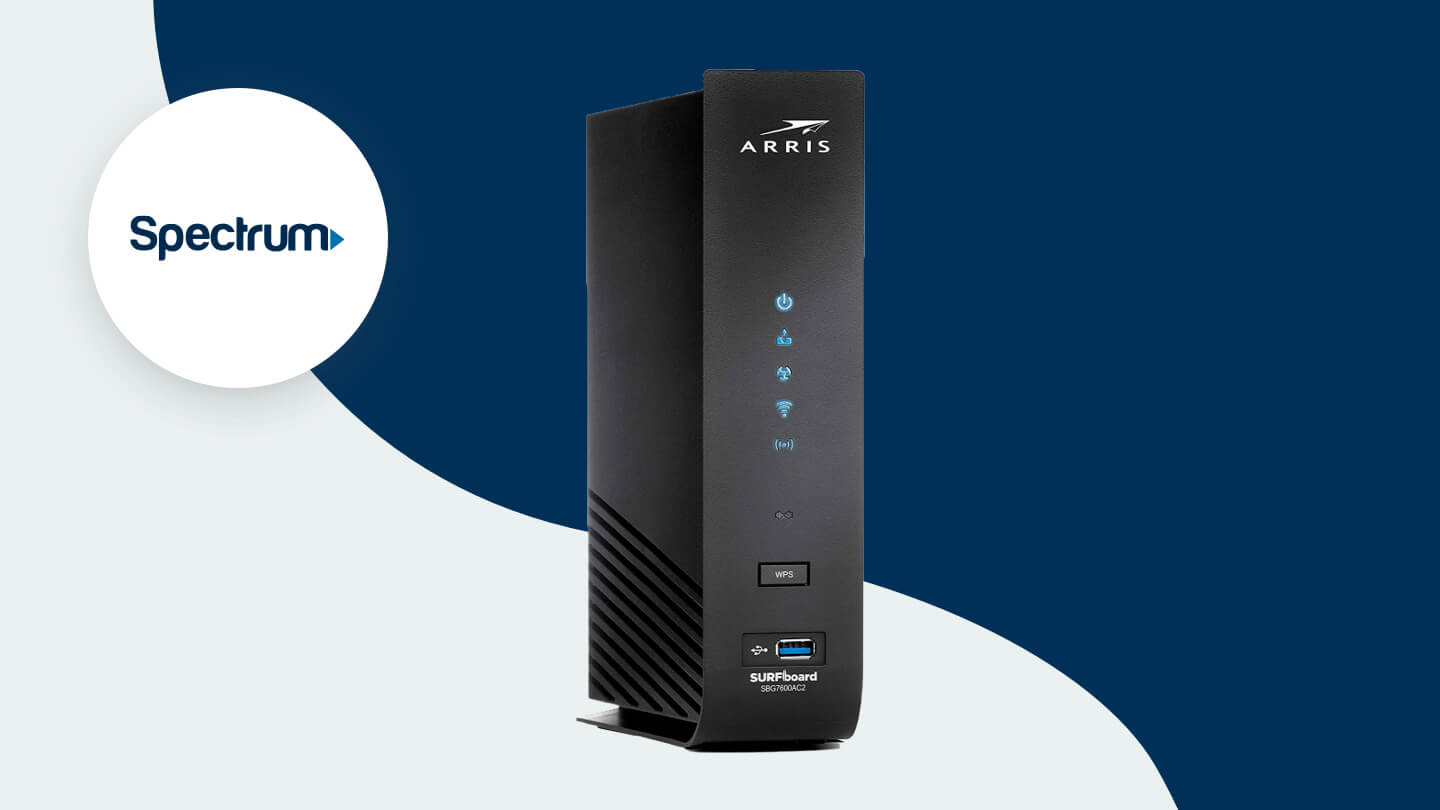
Credit: www.allconnect.com
Troubleshooting Common Issues With Using A Own Router With Spectrum
Using your own router with Spectrum can come with some common issues, but troubleshooting them is essential for a seamless internet experience. Whether it’s setting up your Spectrum internet with your own router or choosing the best compatible modem, there are solutions available to ensure optimal speed and performance.
Troubleshooting Common Issues With Using Your Own Router With Spectrum
No Internet Connection:
- Check the network cables: Ensure that all cables are securely connected to the router and modem. If any cable is loose, reconnect it properly.
- Restart your devices: Power off both your router and modem, wait for a few seconds, and then power them back on. This can help resolve temporary connection issues.
- Verify your internet subscription: Make sure you have an active internet subscription with Spectrum and that your account is in good standing.
- Contact Spectrum customer support: If you have tried all the above steps and are still unable to establish an internet connection, reach out to Spectrum customer support for further assistance.
Slow Internet Speeds:
- Check for interference: Keep your router away from other electronic devices that could cause interference, such as microwaves and cordless phones. Additionally, consider changing the location of your router to improve signal strength.
- Check for bandwidth usage: If multiple devices are connected to your network and using a significant amount of bandwidth, it can affect your internet speed. Monitor your network and prioritize essential devices or limit bandwidth usage for certain applications.
- Update router firmware: Check if there are any available firmware updates for your router. Updating to the latest firmware can often improve router performance and speed.
- Optimize router settings: Adjusting settings like channel selection or QoS (Quality of Service) can help optimize your router’s performance. Refer to your router’s manual for instructions specific to your model.
Router Compatibility Issues:
- Check Spectrum’s approved routers list: Ensure that your router is on the list of approved devices provided by Spectrum. Some routers may not be fully compatible with Spectrum’s network infrastructure.
- Bridge mode configuration: If you are using a combination modem-router provided by Spectrum, make sure it is in bridge mode. This allows your own router to handle the network connection while the Spectrum modem functions simply as a modem.
- Configure router settings correctly: Ensure that your router is properly configured with the required settings provided by Spectrum. Incorrect settings can lead to compatibility issues and a faulty connection.
- Update router firmware: Just like with slow internet speeds, updating your router’s firmware can often address compatibility issues as well.
Remember, if you encounter any difficulties with using your own router with Spectrum, don’t hesitate to contact Spectrum customer support for further assistance. They are best equipped to help troubleshoot and resolve any issues you may encounter.
Maximizing Your Internet Experience With A Own Router
Maximize your internet experience with Spectrum by using your own router. Spectrum customers have the option to use or purchase their own router, but renting a pre-configured WiFi router from Spectrum ensures speed and security. Avoid the hassle and enjoy a seamless internet connection.
Having the freedom to use your own router with Spectrum internet comes with its fair share of benefits. Not only can you save on monthly equipment rental fees, but you can also enhance your internet experience by taking advantage of the various features and optimizations that your own router can offer.
Here are some ways to maximize your internet experience with your own router:
Optimizing Router Placement For Better Coverage:
- Find the ideal location for your router: Place your router in a central area of your home to ensure that the Wi-Fi signal reaches all areas evenly. Avoid placing it near large objects or walls that could obstruct the signal.
- Avoid interference: Keep your router away from other devices that can interfere with the Wi-Fi signal, such as cordless phones, baby monitors, and microwave ovens.
- Use signal boosters or extenders: If you have a large home or areas with weak Wi-Fi coverage, consider using signal boosters or extenders to amplify the signal and improve coverage.
Implementing Parental Controls For Safe Internet Usage:
- Set up content filtering: With your own router, you can easily set up content filtering to restrict access to certain websites or types of content, ensuring a safe and age-appropriate internet experience for everyone in your household.
- Schedule internet access: Create schedules to limit internet usage during certain times, such as during bedtime or study hours, helping to promote healthier habits and prevent excessive screen time.
- Monitor and control devices: Keep track of the devices connected to your network and have the ability to pause or block internet access for specific devices, ensuring that everyone in your home remains safe online.
Monitoring Network Traffic For Enhanced Security:
- Enable guest networks: With your own router, you can set up a separate guest network for visitors, keeping your main network secure and protecting your personal information.
- Use encryption protocols: Ensure that your router is utilizing the latest encryption protocols, such as WPA3 or WPA2, to safeguard your Wi-Fi network from unauthorized access.
- Enable firewall protection: Activate the built-in firewall in your router to add an extra layer of protection against potential threats and intrusions.
By implementing these optimizations and features with your own router, you can truly enhance your Spectrum internet experience. Enjoy faster speeds, wider coverage, safer internet browsing, and peace of mind knowing that you have full control over your network.
Faqs About Using Your Own Router With Spectrum
Spectrum allows customers to use their own router, but renting a pre-configured WiFi router from Spectrum is a convenient option that ensures speed and security. You can also find compatible modems from NETGEAR for better speeds and cost savings. Using your own router with Spectrum is possible and gives you flexibility in your internet setup.
Can I Still Use Spectrum’S Support Services With My Own Router?
- Yes, you can still access Spectrum’s support services even if you are using your own router. Spectrum provides technical support for all customers, regardless of the type of equipment they are using.
- When you encounter any issues with your own router, you can contact Spectrum’s customer support for assistance. They will guide you through troubleshooting steps and help you resolve any connectivity or performance issues you may be experiencing.
Will Using My Own Router Void My Spectrum Warranty?
- No, using your own router will not void your Spectrum warranty. Spectrum’s warranty covers their own equipment, such as routers and modems, that they provide to you. If you are using your own router, the warranty for that device will be determined by the manufacturer’s terms and conditions.
- If you experience any issues with your Spectrum service while using your own router, Spectrum’s customer support will still be available to assist you. They will help troubleshoot any issues that may arise, even if you are using your own equipment.
What Should I Do If I Want To Switch Back To Using Spectrum’S Router?
- If you decide to switch back to using Spectrum’s router, simply follow these steps:
- Disconnect your own router from the network by unplugging it from the power source.
- Connect Spectrum’s router to the modem using an Ethernet cable.
- Plug in Spectrum’s router and wait for it to fully boot up.
- Once the router has fully booted up, you can connect your devices to the Spectrum WiFi network.
- If you encounter any issues during the switch, you can contact Spectrum’s customer support for guidance and assistance.
Remember, using your own router is a personal choice, and Spectrum offers support for both their own equipment and customers using their own routers.
Frequently Asked Questions For Spectrum Use Own Router
Does Spectrum Allow You To Use Your Own Router?
Yes, Spectrum allows you to use your own router. You can choose to use or purchase your own router, but Spectrum also offers the option to rent a pre-configured WiFi router.
How Do I Setup My Spectrum Internet With My Own Router?
To set up your Spectrum Internet with your own router, follow these steps: 1. Connect your router to the modem using an Ethernet cable. 2. Power on the modem and router. 3. Open a web browser and enter the router’s IP address.
4. Follow the on-screen instructions to configure your router’s settings. 5. Once the setup is complete, you can connect your devices to the new router’s WiFi network. Note: Spectrum customers can also rent a pre-configured WiFi router from Spectrum if they prefer.
Can You Use A Netgear Router With Spectrum?
Yes, you can use a Netgear router with Spectrum. Spectrum customers have the option to use or purchase their own router.
Can I Use My Own Router With Spectrum?
Yes, Spectrum allows customers to use their own router. However, they also offer the option to rent a pre-configured WiFi router from Spectrum, which provides speed and security.
Conclusion
Using your own router with Spectrum is a convenient option for customers who prefer to have more control over their internet connection. By using their own router, customers can customize their network settings, security features, and even prioritize certain devices for a smoother online experience.
Additionally, using a personal router can also save money in the long run by avoiding rental fees from Spectrum. Setting up your own router with Spectrum is a straightforward process. You can connect your router to Spectrum’s internet service either via Ethernet or wirelessly.
Spectrum also provides support and resources for self-installation, ensuring a hassle-free experience. Ultimately, when it comes to choosing a router for Spectrum, consider one that is approved and compatible. NETGEAR offers a range of modem and gateway options that are designed to deliver better speeds and quality performance with Spectrum’s service.
By using your own router with Spectrum, you can enjoy greater customization, improved performance, and potentially save money in the process. Take advantage of this option to enhance your internet experience.