
To get Spectrum Internet, you need an authorized modem and an active coaxial cable. The self-installation process is easy and can be done by downloading and signing in to the My Spectrum App.
Once you have the app, you will receive a notification to set up and activate your equipment. If you don’t have a connected cable outlet, you may need to consult with Spectrum about installation options.
The Necessary Equipment For Spectrum Internet
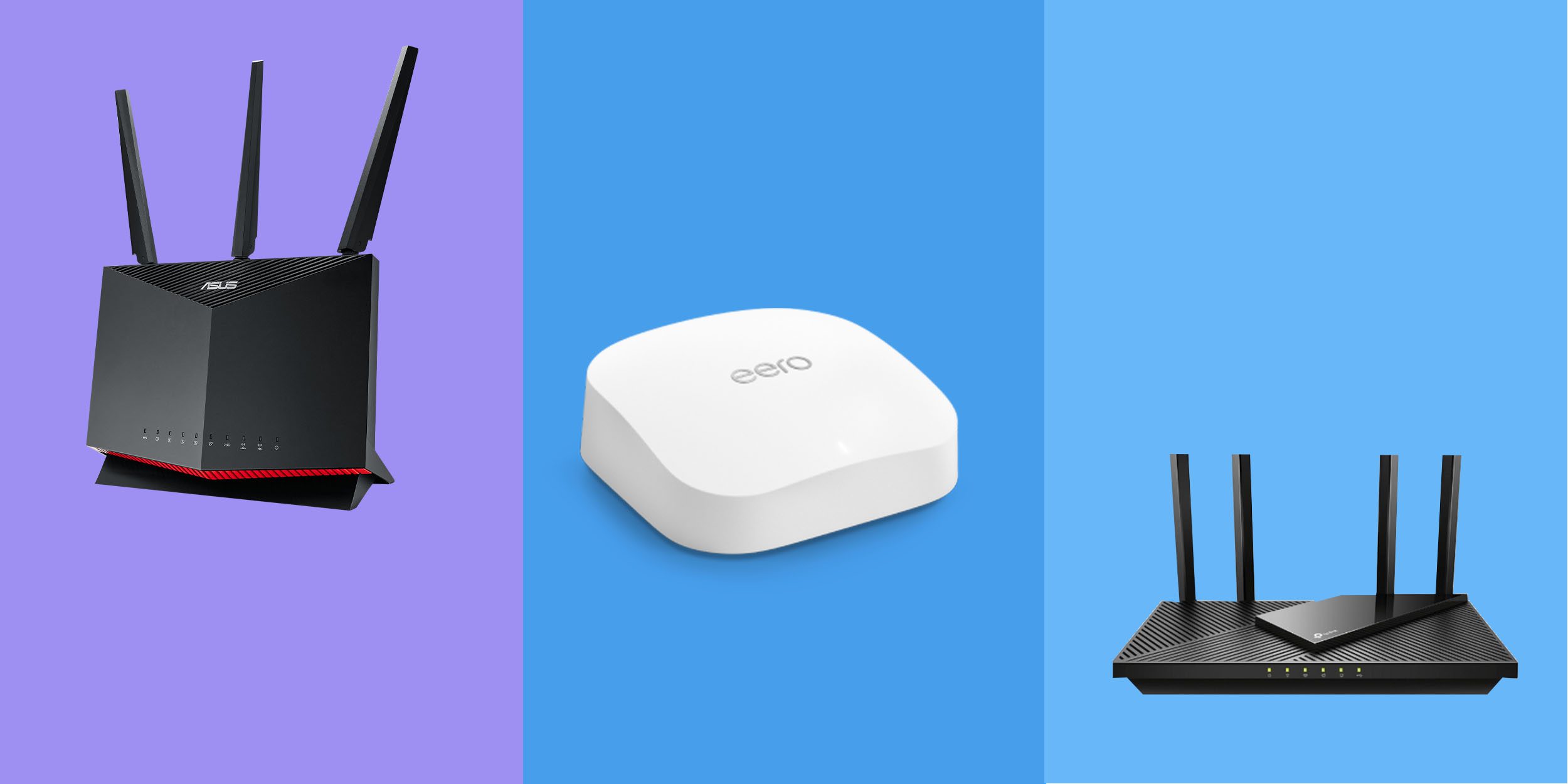
To get Spectrum Internet, you will need a few necessary equipment, including an authorized modem to connect to the Spectrum network. Spectrum also offers a pre-configured WiFi router for a monthly fee, or you can choose to use your own router.
Additionally, you will need an active coaxial cable for self-installation.
Modem:
- A modem is a device that connects your home network to the Spectrum Internet network.
- It acts as a bridge between your Spectrum Internet service and your devices.
- Modems are responsible for converting the signal from your cable or fiber-optic line into a format that can be used by your devices.
Recommended modem models compatible with Spectrum Internet:
- Spectrum recommends specific modem models that are compatible with their internet service.
- Some of the recommended models include Motorola MB8600, Netgear CM700, and Arris Surfboard SB8200.
- These modems provide fast and reliable internet speeds, ensuring a seamless browsing and streaming experience.
Router:
- A router is an essential component for creating a home Wi-Fi network.
- It allows multiple devices to connect to the internet wirelessly.
- Routers distribute the internet signal throughout your home using Wi-Fi technology.
Spectrum’s option to provide a pre-configured Wi-Fi router for a monthly fee:
- Spectrum offers the convenience of providing a pre-configured Wi-Fi router for a monthly fee.
- This pre-configured router is ready to use right out of the box, saving you the hassle of setting it up yourself.
- It ensures that you have a reliable Wi-Fi connection throughout your home.
Advantages and disadvantages of using Spectrum’s provided router:
Advantages:
- The provided router is specifically designed to work seamlessly with Spectrum Internet.
- It comes with technical support, ensuring that any issues or concerns can be addressed promptly.
- Spectrum will handle any necessary firmware updates to ensure optimal performance.
Disadvantages:
- The monthly fee for the provided router may add to the overall cost of your internet service.
- There may be limitations on customization options, as the router is pre-configured by Spectrum.
- If you prefer to use your own router, you may need to purchase one separately.
Coaxial Cable:
- A coaxial cable is essential for connecting your modem to the cable outlet.
- It carries the internet signal from the cable outlet to the modem.
- It ensures a stable and reliable connection between your modem and Spectrum’s network.
Discussion on whether a coax outlet is necessary for using Spectrum Wi-Fi:
- Yes, a coax outlet is necessary for using Spectrum Wi-Fi.
- Spectrum utilizes cable infrastructure to provide internet services, and the coaxial cable is the medium through which the internet signal is delivered to your home.
- Without a coax outlet, you won’t be able to connect to Spectrum’s network and enjoy their internet service.
Ethernet Cable:
- An Ethernet cable is used to connect devices directly to the modem or router.
- It provides a faster and more stable connection compared to Wi-Fi.
- Ethernet cables are ideal for devices that require a reliable internet connection, such as gaming consoles or smart TVs.
Benefits of using an Ethernet connection for stable and fast internet speeds:
- An Ethernet connection eliminates the interference that can occur with a wireless connection, providing a more stable and consistent internet speed.
- It offers faster data transfer rates, making it ideal for tasks that require large amounts of data, such as online gaming or streaming high-definition videos.
- Ethernet connections are less prone to signal loss or interruptions, ensuring a seamless online experience.
Spectrum Mobile App:
- The Spectrum Mobile App is a powerful tool for managing and monitoring your Spectrum Internet service.
- It allows you to easily access and control various aspects of your internet service from the convenience of your mobile device.
- The app offers features such as monitoring your internet usage, managing Wi-Fi settings, and troubleshooting common issues.
How to use the app to manage and monitor your Spectrum Internet service:
- Download the Spectrum Mobile App from your device’s app store.
- Log in using your Spectrum account credentials.
- Use the app to view your current internet usage, set up parental controls, and manage your Wi-Fi network.
- The app also provides access to helpful resources and troubleshooting tips to ensure the best possible internet experience.
Remember, having the necessary equipment is crucial to get the most out of your Spectrum Internet service. By having the right modem, router, cables, and utilizing the Spectrum Mobile App, you can enjoy a seamless and reliable internet connection throughout your home.
Setting Up Spectrum Internet
To set up Spectrum Internet, you will need an authorized modem to connect to the network. Spectrum also offers a pre-configured WiFi router for a monthly fee, or you can use your own router. Self-installation is easy with the help of the My Spectrum App.
Self-Installation Process:
Setting up Spectrum Internet on your own can be a straightforward and convenient process. With a self-installation kit provided by Spectrum, you have the flexibility to get your internet up and running at your own pace. Here is a step-by-step guide to help you through the self-installation process:
- Unpacking the kit and understanding its contents:
- The self-installation kit typically includes a modem, power cord, Ethernet cable, coaxial cable, and any necessary documentation.
- Carefully unpack the kit and familiarize yourself with the contents to ensure you have everything needed for the setup.
- Setting up the modem and connecting necessary cables:
- Find a suitable location for the modem, preferably near a cable outlet and in a central area of your home for optimal Wi-Fi coverage.
- Connect one end of the coaxial cable to the cable outlet and the other end to the modem’s cable input.
- Plug in the power cord to the modem and a nearby electrical outlet. Ensure that the modem is powered on and the necessary lights are lit.
- Activating the service and connecting to Wi-Fi:
- Once the modem is connected, you will need to activate your Spectrum service. Follow the instructions provided in the self-installation kit or contact Spectrum for assistance.
- After activation, locate the Wi-Fi network name (SSID) and password provided by Spectrum. Connect your devices to the Wi-Fi network using these credentials, and you’ll be online in no time.
Professional Installation:
If you prefer to have a professional handle the setup process, Spectrum also offers the option for professional installation. Here are some key points to consider regarding professional installation:
- Pros of professional installation:
- Convenience: A trained technician will handle the installation process, ensuring a smooth and hassle-free experience.
- Expertise: Professionals are knowledgeable about the best practices for setting up internet services, ensuring optimal performance.
- Troubleshooting: In the event of any issues during installation, the technician can help resolve them quickly and efficiently.
- Cons of professional installation:
- Cost: There may be an additional fee for professional installation services.
- Scheduling: You may need to wait for an appointment, as availability may vary based on your location and demand for installation services.
To schedule a professional installation appointment, simply contact Spectrum and provide them with your preferred date and time. They will work with you to find a convenient appointment slot.
Remember, whether you choose self-installation or professional installation, Spectrum is dedicated to providing reliable internet service to meet your needs. So, set up your Spectrum Internet today and enjoy a seamless online experience.
Additional Equipment And Tips
To get Spectrum Internet, you’ll need an authorized modem to connect to the network. Spectrum also provides a pre-configured WiFi router for a monthly fee, but you can choose to use your own. Self-installation is easy with the My Spectrum App guiding you through the process.
Wi-Fi Range Extenders
- A Wi-Fi range extender is a device that amplifies your Wi-Fi signal, extending its coverage to areas with weak or no signal.
- It acts as a bridge between your existing Wi-Fi network and the devices that are located further away from your router.
- Wi-Fi range extenders are particularly useful in larger homes or offices where the Wi-Fi signal may not reach every corner of the building.
Recommended Wi-Fi range extenders for Spectrum Internet:
- NETGEAR Wi-Fi Range Extender EX3700: This range extender is compatible with Spectrum Internet and provides coverage of up to 1000 square feet, making it ideal for small to medium-sized homes.
- TP-Link AC1750 Wi-Fi Range Extender: With a coverage area of up to 10,000 square feet, this range extender is suitable for larger homes or offices. It supports dual-band Wi-Fi and offers fast speeds for seamless streaming and gaming.
Ethernet Switches
- An Ethernet switch is a networking device that allows you to expand the number of available Ethernet ports on your router.
- It is useful when you have multiple wired devices that need to connect to the internet, such as gaming consoles, smart TVs, or desktop computers.
- With an Ethernet switch, you can connect devices that are located far away from your router without the need for long Ethernet cables.
Advantages of using an Ethernet switch for multiple wired connections:
- Simplifies cable management: Instead of running multiple long Ethernet cables from your router to each individual device, you can use a switch to create a centralized connection point.
- Improves network performance: By distributing the network load across multiple ports, an Ethernet switch can help prevent congestion and ensure a stable and fast internet connection for all connected devices.
Using Your Own Equipment
- Spectrum allows customers to use their own modems and routers with their internet service, as long as they meet certain guidelines and compatibility requirements.
- Using your own equipment can be a cost-effective option and gives you more control over your network settings and features.
Spectrum’s guidelines and compatibility requirements for using personal equipment:
- Make sure your modem or router is DOCSIS 3.0 or higher compatible.
- Check Spectrum’s list of approved equipment to ensure compatibility. This list includes both modems and routers that have been tested and approved by Spectrum.
- Contact Spectrum’s customer support if you need assistance with setting up your own equipment or have any compatibility questions.
Troubleshooting Tips
- Despite the best precautions, you may encounter some issues during the setup or usage of Spectrum Internet. Here are some common problems and their solutions:
- Connectivity problems: If you’re experiencing issues with your internet connection, try the following steps:
- Check all cable connections and restart your modem and router.
- Disconnect and reconnect all devices from the Wi-Fi network.
- Reset your modem/router to factory settings if the problem persists.
- Wi-Fi performance issues: If your Wi-Fi signal is weak or slow, try these troubleshooting steps:
- Reposition your router to a more central location in your home or office.
- Reduce interference by keeping your router away from other electronic devices or appliances.
- Update the firmware of your router to the latest version.
Remember, if you’re still facing issues, don’t hesitate to contact Spectrum’s customer support for further assistance.

Credit: www.freshoffthegrid.com
Frequently Asked Questions For What Do I Need To Get Spectrum Internet
What Do I Need To Set Up Spectrum Internet?
To set up Spectrum Internet, you will need: – An authorized modem to connect to the Spectrum network. – A pre-configured WiFi router provided by Spectrum (optional, for a monthly fee) or your own router. – An active coaxial cable to connect to the modem.
– The My Spectrum App to guide you through the self-installation process.
What Equipment Do I Need For Spectrum?
To get Spectrum internet, you need an authorized modem to connect to the network. You can use Spectrum’s pre-configured WiFi router for a monthly fee or purchase your own router.
Do You Need A Cable Line For Spectrum Internet?
Yes, you need a cable line to connect to Spectrum Internet. The modem must be connected to coax.
Is It Easy To Set Up Spectrum Internet?
Setting up Spectrum Internet is easy. Download the My Spectrum App and follow the self-install process.
Conclusion
To set up Spectrum Internet, all you need is a Spectrum self-install kit and an active coaxial cable. The self-installation process is easy and convenient, allowing you to get connected quickly. Simply download and sign in to the My Spectrum App, where you’ll receive step-by-step instructions for setup and activation.
It’s important to note that Spectrum Internet customers are required to use an authorized modem to connect to the network. While Spectrum provides a pre-configured WiFi router for a monthly fee, you also have the option to use or purchase your own router.
Additionally, having a cable outlet in your home is necessary for the self-installation option to work. With Spectrum Internet, you can enjoy fast and reliable internet service without the hassle of complicated setup processes. By following the instructions provided and utilizing the self-install kit, you’ll be online in no time.
Say goodbye to the complexities of internet installation and hello to uninterrupted online connectivity!