
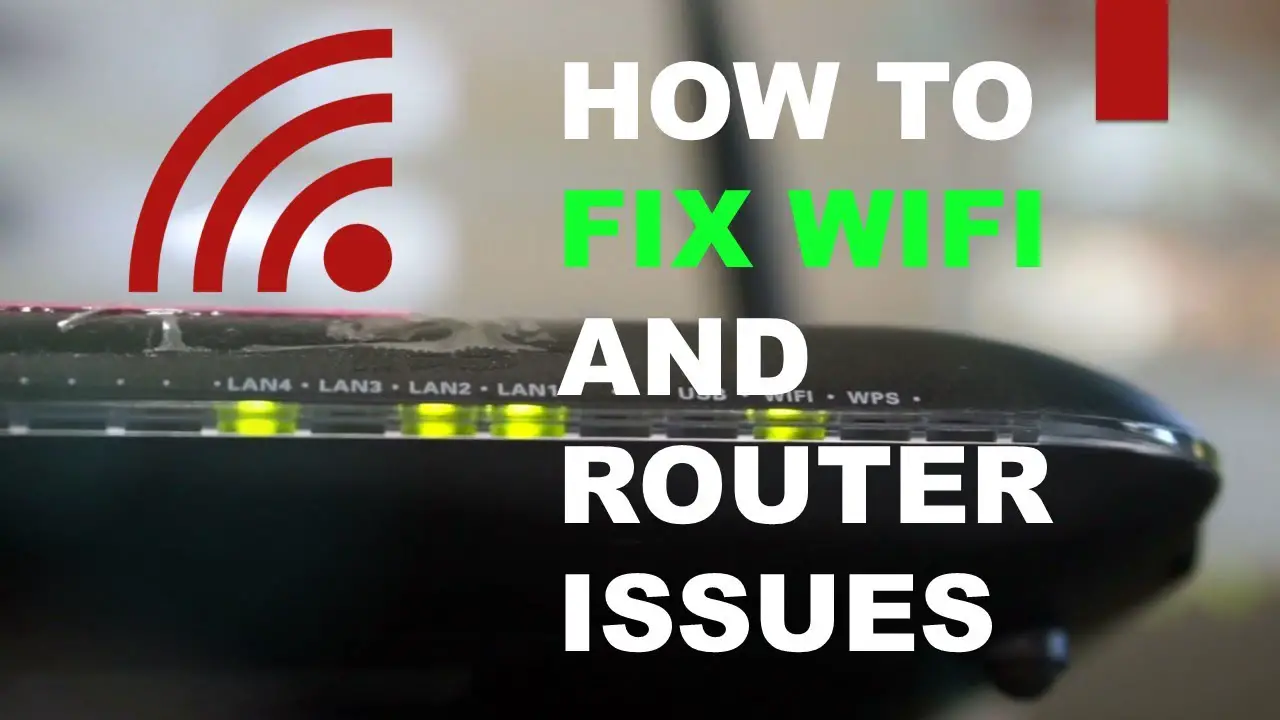
Your Spectrum router keeps disconnecting due to a weak Wi-Fi signal, a congested ISP network, or hardware issues. To fix this, you can restart your modem/router, move the router to a different location, reset it to factory settings, check for internet outages, make sure you’re not experiencing ISP throttling, update your internet plan to fiber, change your ISP, or disable multiple network connections.
Additionally, placing your modem away from electronic appliances and equipment can help prevent interference and frequent reboots. It’s also important to clean your router regularly to avoid dust build-up that can lead to overheating and disconnections.
Understanding The Issue
If you’re frustrated by your Spectrum router constantly disconnecting, the issue is likely with your Wi-Fi connection. Common reasons for this problem include weak Wi-Fi signals, network congestion, or hardware issues. To fix it, try relocating your router, resetting it, checking for internet outages, or upgrading your internet plan.
Common Reasons For Wi-Fi Connectivity Issues:
- Weak Wi-Fi signal: A weak signal can result in frequent disconnections. This may be caused by distance from the router, obstacles like walls or furniture, or interference from other devices.
- Congested ISP network: If your internet service provider’s network is overloaded with users, it can lead to slower speeds and intermittent connectivity issues.
- Hardware issues: Problems with your router or modem can also cause disconnections. This could be due to outdated firmware, overheating, or faulty equipment.
Weak Wi-Fi Signal And Its Impact:
- Distance from the router: The farther you are from your router, the weaker the Wi-Fi signal becomes. This can result in slow speeds and frequent disconnects.
- Obstacles: Walls, furniture, and other objects can block or weaken your Wi-Fi signal, leading to connectivity issues.
- Interference from other devices: Other electronic devices like microwaves, cordless phones, or baby monitors can interfere with your Wi-Fi signal, causing disruptions.
Congested Isp Network And Its Effect:
- Overloaded network: If there are too many users connected to your ISP’s network at the same time, it can lead to congestion and slower speeds. This congestion can also cause intermittent disconnections.
- Peak usage hours: During peak times, such as evenings or weekends, more users are online, which can put strain on the network and result in connectivity issues.
Hardware Issues And Their Potential Causes:
- Outdated firmware: If your router or modem has outdated firmware, it may not be able to handle the latest Wi-Fi standards, leading to connection problems.
- Overheating: Router or modem overheating can cause intermittent disconnects. Make sure your equipment is placed in a well-ventilated area and not covered or surrounded by other heat-generating devices.
- Faulty equipment: Defective routers or modems can cause frequent disconnections. This can be due to hardware defects or age-related wear and tear.
Remember, experiencing occasional connectivity issues is normal. However, if the disconnections are frequent and impacting your day-to-day internet use, it’s important to troubleshoot the problem by following the recommended solutions provided by your ISP or contacting their customer support for further assistance.
Troubleshooting Methods
If you’re wondering why your Spectrum router keeps disconnecting, it could be due to a weak Wi-Fi signal, network congestion, or hardware issues. To troubleshoot this problem, you can try restarting your modem/router, relocating the router to a different spot, or checking for internet outages.
Additionally, make sure you’re not experiencing ISP throttling and consider updating your internet plan to fiber or changing your ISP if needed.
If you’re experiencing frequent disconnections with your Spectrum router, don’t worry, there are several troubleshooting methods you can try to resolve the issue. Below, we’ll explore some effective steps to help you stay connected:
- Restarting the Modem/Router: Sometimes, a simple restart can fix connectivity problems. Power off your router and modem by unplugging them for 30 seconds, then plug them back in and wait for them to fully reboot.
- Relocating the Router to a Different Location: The position of your router can affect its signal strength. Try moving it to a central location, away from obstructions like walls or large appliances, to improve Wi-Fi coverage.
- Resetting the Router/Modem to Factory Settings: If you’re still experiencing disconnections, resetting your router to its default settings can help. Locate the reset button on your device and hold it for around 10 seconds until the lights flash. Note that this will erase any custom settings, so be prepared to set them up again.
- Checking for Internet Outages: Before troubleshooting further, make sure there are no widespread internet outages in your area. You can check the Spectrum website or contact their customer support for updates.
- Ensuring No ISP Throttling: Internet Service Providers (ISPs) sometimes throttle internet speeds, which can result in disconnections. To rule this out, contact your ISP and inquire if there are any bandwidth limitations or service disruptions.
- Updating Internet Plan to Fiber: If your current internet plan doesn’t support high-speed connectivity, consider upgrading to a fiber-optic plan. Fiber connections tend to be more stable and provide faster speeds, reducing the chance of disconnections.
- Considering a Change in ISP: If the disconnections persist and other troubleshooting methods haven’t helped, it might be worth considering switching to a different ISP. Research local providers, compare their plans, and choose one that offers reliable service in your area.
- Disabling Multiple Network Connections: Having multiple devices connected to your network simultaneously can strain its performance and lead to disconnections. Try disabling unnecessary connections and see if that improves stability.
By following these troubleshooting methods, you can increase the chances of resolving the disconnection issues with your Spectrum router. Remember, if the problem persists, don’t hesitate to reach out to Spectrum’s customer support for further assistance.
Addressing Interference
If you’re experiencing frequent disconnections with your Spectrum router, several factors could be causing the issue. Weak Wi-Fi signals, congestion in your internet service provider network, or hardware problems may be the main culprits. Restarting your modem/router, moving it to a different location, or checking for internet outages are some troubleshooting steps you can take to address the interference.
Interference can be a common cause of frequent disconnections in your Spectrum router. Identifying and addressing potential sources of interference is crucial for maintaining a stable and uninterrupted internet connection. Here are some steps you can take to minimize interference:
Relocating The Modem Away From Electronic Appliances:
- Move your router away from electronic appliances such as cordless phones, microwaves, baby monitors, and Bluetooth devices. These devices can emit electromagnetic signals that may interfere with your router’s signals.
- Place your router in an open space, away from walls and obstructions, to ensure maximum signal strength and minimize potential interference.
Identifying Potential Gadgets Causing Interference:
- If you suspect a specific device is causing interference, try turning off or unplugging it temporarily to see if the disconnections stop. This can help you determine if that device is indeed the source of interference.
- Keep an eye out for any new electronic devices that you have recently added to your home. These devices could potentially cause interference with your router.
Impact Of Interference On Router Performance:
- Interference can result in a weakened Wi-Fi signal or frequent disconnections. This can lead to slow internet speeds and frustrating browsing experiences.
- Multiple devices competing for the same wireless frequency can cause congestion and further degrade your router’s performance.
Minimizing Interference For A Stable Connection:
- Consider using a dual-band router that operates on both the 2.4GHz and 5GHz frequencies. This can help you avoid congestion and interference from nearby Wi-Fi networks or devices.
- Enable channel optimization on your router to automatically select the best channel with reduced interference.
- Update your router’s firmware regularly to ensure optimal performance and compatibility with newer devices.
- If necessary, invest in Wi-Fi range extenders or mesh Wi-Fi systems to ensure coverage throughout your home, reducing the chance of interference due to weak signals.
By following these guidelines, you can minimize interference and optimize your Spectrum router’s performance, ensuring a stable and reliable internet connection.

Credit: dongknows.com
Diagnosing Router Health
If you’re wondering why your Spectrum router keeps disconnecting, there are several potential causes to consider. It could be due to a weak Wi-Fi signal, network congestion from your internet service provider, or hardware issues. To troubleshoot the problem, you can try restarting your modem/router, changing its location, checking for internet outages, or updating your internet plan.
Is your Spectrum router constantly disconnecting? Frustrating, isn’t it? Before you start pulling out your hair in frustration, let’s diagnose the health of your router. This will help us identify any issues that may be causing the frequent disconnections.
Checking If The Router Is Functioning Properly:
- Wi-Fi signal strength: Check if your Wi-Fi signal is strong enough. Weak signals can cause intermittent disconnections.
- Hardware issues: Make sure that all cables and connections are secure and undamaged. Faulty hardware can lead to connection problems.
- Firmware updates: Check if your router firmware is up to date. Outdated firmware can cause instability and disconnections.
- Interference: Look out for any sources of interference such as other electronic devices or neighboring Wi-Fi networks. These can disrupt your router’s signal.
Indicators Of A Bad Spectrum Router:
- Solid red light on a separate modem: If you have a separate modem, a solid red light could indicate a problem with the internet signal coming into your house. Contact your internet service provider (ISP) for assistance.
- Amber light indicating suboptimal performance: If your router has an amber light, it means there is an issue with the connection or performance. Try restarting your router and check if the light turns green.
Flashing Lights And Their Possible Meaning:
- Flashing power light: If the power light on your router is flashing, it could indicate that the router is booting up or in the process of a firmware update. Wait for the flashing to stop and check if the connection stabilizes.
- Flashing internet or signal light: A flashing internet or signal light suggests that the router is attempting to establish a stable connection. If it continues to flash for an extended period, there may be an issue with the connection itself.
- Flashing Wi-Fi light: If the Wi-Fi light on your router is flashing, it means that devices are connecting to or disconnecting from the Wi-Fi network. This is normal behavior.
Remember, diagnosing router health is the first step towards resolving the issue of frequent disconnections. By following these steps and understanding the indicators, you can troubleshoot and resolve any issues with your Spectrum router.
Frequently Asked Questions On Why Does My Spectrum Router Keep Disconnecting
Why Does My Router Randomly Disconnect?
If your router randomly disconnects, it is likely due to a weak Wi-Fi signal, a congested ISP network, or hardware issues.
How To Fix A Wi-Fi Router Which Keeps On Disconnecting Frequently?
To fix a Wi-Fi router that keeps disconnecting frequently, try these steps: 1. Restart your modem/router. 2. Move the router to a different location. 3. Reset the router/modem to factory settings. 4. Check for internet outages. 5. Ensure you’re not experiencing ISP throttling.
6. Update your internet plan to fiber. 7. Change your ISP. 8. Disable multiple network connections.
Why Do I Have To Keep Rebooting My Spectrum Router?
The Spectrum router may need frequent rebooting due to interference from electronic appliances and equipment, causing signal disruptions.
How Do I Know If My Spectrum Router Is Bad?
If your Spectrum router has a solid red light or an amber light, it may be bad. Flashing lights could also indicate a problem. Dust buildup can also cause disconnects.
Conclusion
To ensure a stable internet connection, it is crucial to understand why your Spectrum router keeps disconnecting. The most common reasons for this issue include a weak Wi-Fi signal, network congestion, hardware problems, interference from electronic devices, and even dust clogging up the router.
To troubleshoot this problem, you can try a few simple solutions. First, restart your modem and router or move them to a different location. You can also reset them to factory settings or check for internet outages in your area.
Ensure that your ISP is not throttling your internet speed, and consider upgrading your internet plan to fiber or changing your service provider if necessary. Finally, disable any unnecessary network connections to prevent interference. By following these steps, you can improve the stability of your Spectrum router and enjoy a reliable internet connection.
Remember, a well-functioning router is essential for seamless browsing, streaming, and online activities.