
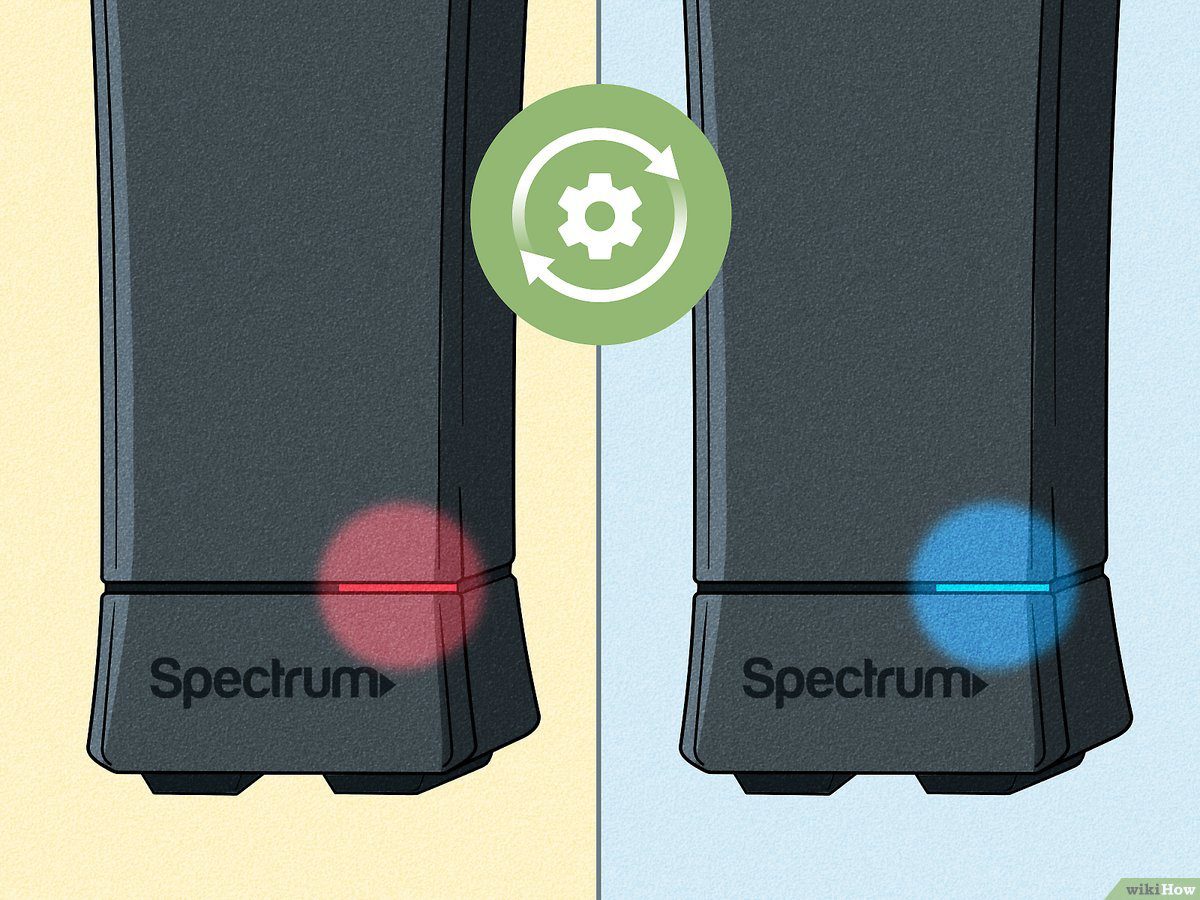
If your Spectrum modem is red, it indicates a bad network connection, possibly due to problems with your network or an outage on Spectrum’s end. To fix it, check the cables for damage and moisture, clean both ends of the coaxial cable, and plug it back in.
Having a red light on your Spectrum modem can be frustrating, as it indicates an issue with your network connection. This article will provide insights into why your Spectrum modem may have a red light and how to troubleshoot and fix the problem.
By understanding the possible causes of a red light and following the recommended steps, you can resolve the issue and restore your internet connection. So, let’s dive into the reasons behind a red light on a Spectrum modem and how to address it effectively.
Understanding The Red Light On Spectrum Modem
If you’re wondering why your Spectrum modem has a red light, it could indicate a bad network connection. Check your cables for damage and make sure they’re clean. It’s also worth contacting Spectrum customer service for further assistance.
What Does A Red Light On The Spectrum Modem Indicate?
- A red light on your Spectrum modem typically indicates a problem with your internet connection. This can be caused by various issues, such as network problems or modem malfunctions.
Common Causes Of A Red Light On The Spectrum Modem:
- Faulty cables: Check the coaxial cable connected to your modem for any damage or moisture. If the cable is damaged, it may cause a red light on the modem.
- Power issues: Ensure that your modem is receiving proper power supply. Check if the power cable is securely connected and if the outlet is working.
- Outage: Sometimes, a red light on the modem can be due to an outage on Spectrum’s end. Check if other devices are experiencing internet connectivity issues.
- Network problems: It’s possible that the red light indicates network problems. Contact your Spectrum customer service for assistance in troubleshooting and resolving any network issues.
How A Red Light Affects Your Internet Connection:
- Slow or no internet: A red light on the Spectrum modem can lead to a slow or no internet connection. This can greatly impact your ability to browse, stream, or download.
- Limited connectivity: When the modem has a red light, you may experience limited connectivity, making it difficult to connect to certain websites or use certain online services.
- Disrupted activities: Online activities such as video conferencing, online gaming, or streaming may be interrupted or may not work at all when the modem has a red light.
- Potential downtime: If the issue causing the red light on your modem is not resolved promptly, it can lead to extended periods of downtime, preventing you from using the internet altogether.
Remember, if you encounter a red light on your Spectrum modem, it’s important to troubleshoot the issue or contact Spectrum customer support for assistance in resolving the problem and getting your internet connection back up and running smoothly.
Credit: www.reddit.com
Troubleshooting Steps To Fix A Red Light On Spectrum Modem
If you’re wondering why your Spectrum modem has a red light, there are a few troubleshooting steps you can follow. First, check for any damages or moisture in the cables and clean them. Then, plug the cables back in securely.
If the issue persists, contact Spectrum customer service for further assistance.
:
If you’re experiencing a red light on your Spectrum modem, it can indicate several issues that need to be addressed. Follow these troubleshooting steps to fix the red light and restore your internet connection:
Checking The Cables For Damage Or Moisture:
- Inspect the coaxial cable connected to your modem for any signs of damage, such as frayed or kinked wires.
- If moisture is present, gently clean the cable ends using a soft cloth or tissue.
- Ensure that the cable is securely connected to both the modem and the wall outlet.
Cleaning The Coaxial Cable Ends:
- Remove the coaxial cable from the modem.
- Use a soft cloth or tissue to clean the cable ends by gently wiping away any dirt or dust.
- Reconnect the cable securely to the modem.
Ensuring A Stable Network Connection:
- Check your network connection by connecting another device, such as a laptop or smartphone, to the modem via Ethernet cable.
- If the device can access the internet, the problem may lie with your Wi-Fi connection. Try troubleshooting your Wi-Fi network or contacting your service provider for assistance.
Power Cycling The Modem:
- Unplug the power cable from the modem and wait for 30 seconds.
- Plug the power cable back in and allow the modem to restart.
- Wait for all the lights on the modem to stabilize, indicating a successful reboot.
Checking For Firmware Or Connection Issues:
- Access the modem’s settings by typing the modem’s IP address into a web browser.
- Look for any firmware updates available and proceed with the update if necessary.
- Check for any connection issues or error messages in the modem’s logs.
Addressing the red light on your Spectrum modem can be a quick and simple process by following these troubleshooting steps. If the issue persists, it may be beneficial to contact your internet service provider for further assistance.
Hopefully, these steps will help you resolve the red light issue on your Spectrum modem and regain a stable internet connection.
Contacting Spectrum Customer Service For Assistance
If you’re wondering why your Spectrum modem is red, it could indicate a bad network connection or a potential outage on Spectrum’s end. Before contacting Spectrum Customer Service for assistance, you can try checking the cables for damage and cleaning the wires to see if that resolves the issue.
When To Contact Spectrum Customer Service:
If you’re experiencing issues with your Spectrum modem and the light is red, it may be time to contact Spectrum customer service for assistance. Here are a few scenarios in which you should reach out to them:
- If you’ve followed the troubleshooting steps provided by Spectrum and are still unable to resolve the issue.
- If the red light on your modem persists for an extended period.
- If you suspect that there may be an outage in your area.
- If you’re unsure about the possible causes of the red light and need expert guidance.
Steps To Take Before Contacting Customer Service:
Before reaching out to Spectrum customer service, there are a few steps you can take to potentially resolve the issue on your own. Consider trying the following:
- Check all the cables connected to your modem to ensure they are secure and undamaged.
- Restart your modem by disconnecting the power source, waiting for a few seconds, and then reconnecting it.
- Reset your modem to its factory default settings, if necessary, by following the instructions provided by Spectrum.
- Use Spectrum’s online troubleshooting guides and resources to find solutions to common problems.
- If you have multiple devices connected to the modem, try disconnecting them one at a time to determine if any particular device is causing the issue.
Providing Necessary Information To Support:
When contacting Spectrum customer service, it’s helpful to provide them with the necessary information to support your case. Here’s what you should include:
- Your account information, such as your account number or username.
- A detailed description of the problem you’re experiencing, including any relevant error messages or unusual behaviors.
- The steps you’ve already taken to try and resolve the issue.
- Any additional details or observations that may assist the customer service representative in diagnosing and resolving the problem.
Remember, Spectrum customer service is there to assist you with any issues you may encounter with your Spectrum modem. By following the steps mentioned above and providing the necessary information, you can help expedite the troubleshooting process and find a solution quickly.
Frequently Asked Questions On Why Is My Spectrum Modem Red
How Do I Fix The Red Light On My Modem Spectrum?
To fix the red light on your modem Spectrum, check the cables for damage and clean them. Remove the coaxial cable, inspect it for any issues, clean both ends, and plug it back in.
Why Is My Spectrum Modem Solid Red?
A solid red light on your Spectrum modem means there is a bad network connection. Check cables for damage and clean them.
What Do I Do If My Modem Is Red?
If your modem is red, you should check the cables for damage and clean them. Remove the coaxial cable from the modem, inspect it for damage or moisture, clean both ends, and reconnect it. This may resolve the issue.
Why Is The Light On My Modem Always Red?
If the light on your modem is always red, it could indicate a bad network connection or a problem with your internet service. Check the cables for any damage and make sure they are securely connected. If the issue persists, contact your internet service provider for further assistance.
Conclusion
A red light on your Spectrum modem can indicate various issues with your internet connection. It could be caused by damaged cables, a network problem, or even an outage on Spectrum’s end. To resolve this, start by checking the cables for any damage or moisture and clean them thoroughly.
Ensure that the coaxial cable is securely plugged back into the modem. If the problem persists, it is recommended to follow basic troubleshooting steps and procedures before contacting Spectrum customer service for further assistance. Keep in mind that a flashing red light may indicate a firmware or connection issue, while a solid red light means there is no internet connection.
By addressing these potential causes, you can resolve the red light issue on your Spectrum modem and restore your internet connection.